Ordering · from 199 zł net
The cook orders from the phone.
You approve.
The cook stops sending you orders on WhatsApp, and you stop retyping them. Owlly turns the order into a PDF with quantities in the supplier’s packs, and when the invoice comes, checks it against the order.
14 days of the whole back office free · no card
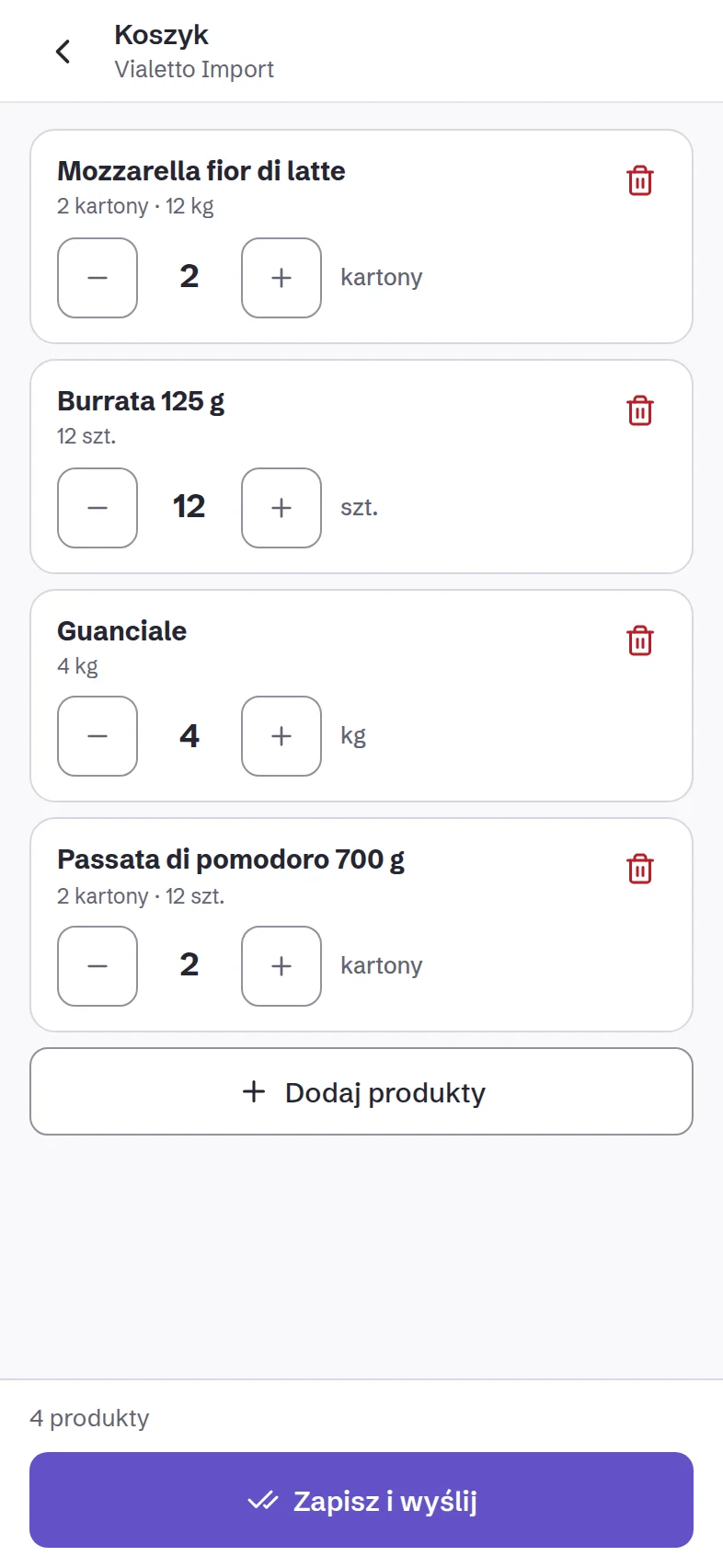
Step 1 of 4
The cook orders in Owlly Staff.
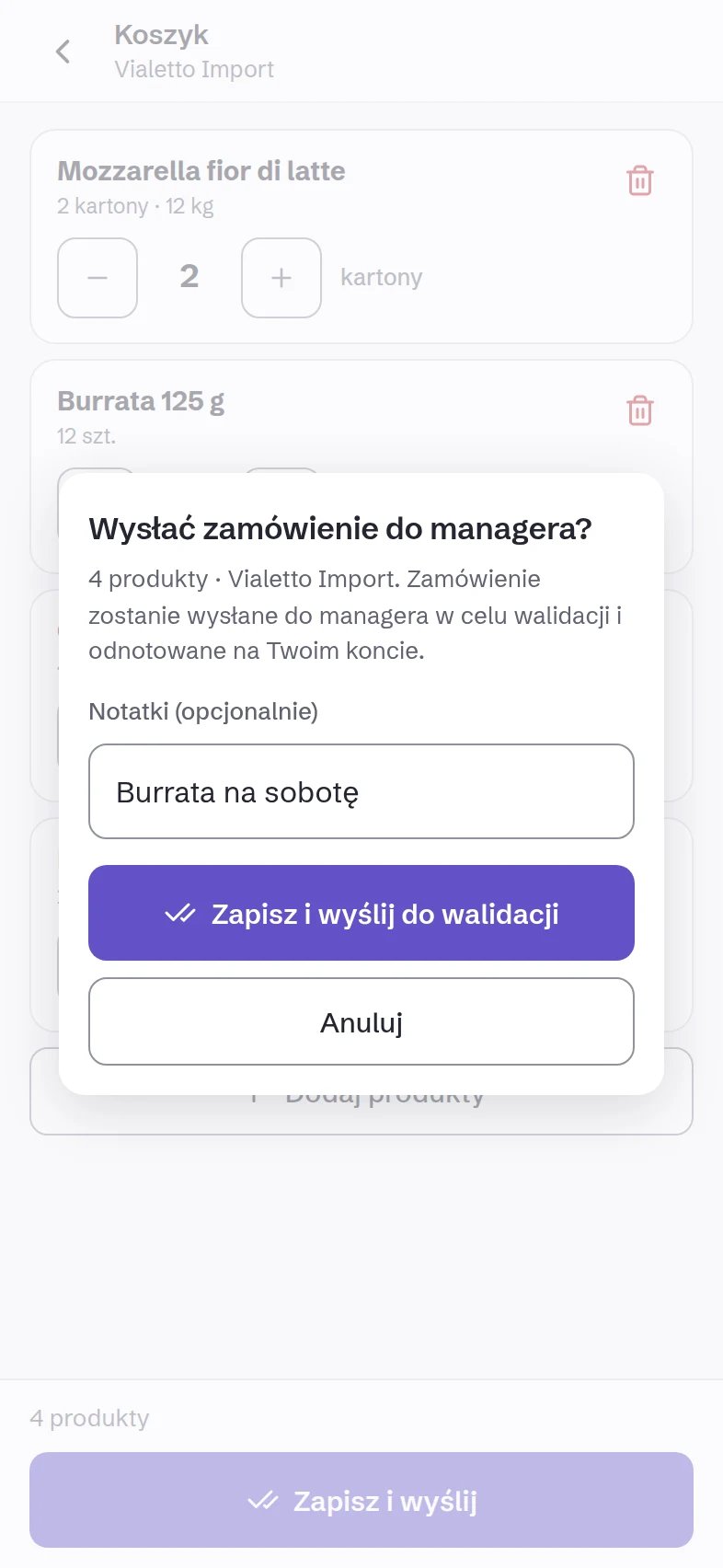
On a supplier’s order days, the person allowed to order sees its card: every product, quantities in pieces or in the supplier’s packs, and a note for the manager. No prices: the cook orders quantities, you see the money. Owlly Staff works in Polish, English, Ukrainian and Russian.
Step 2 of 4
You approve on your phone.
A notification arrives when an order waits. You see the lines with the amount, change a quantity with a reason, remove or add a line, and approve one or all. The same on the computer.
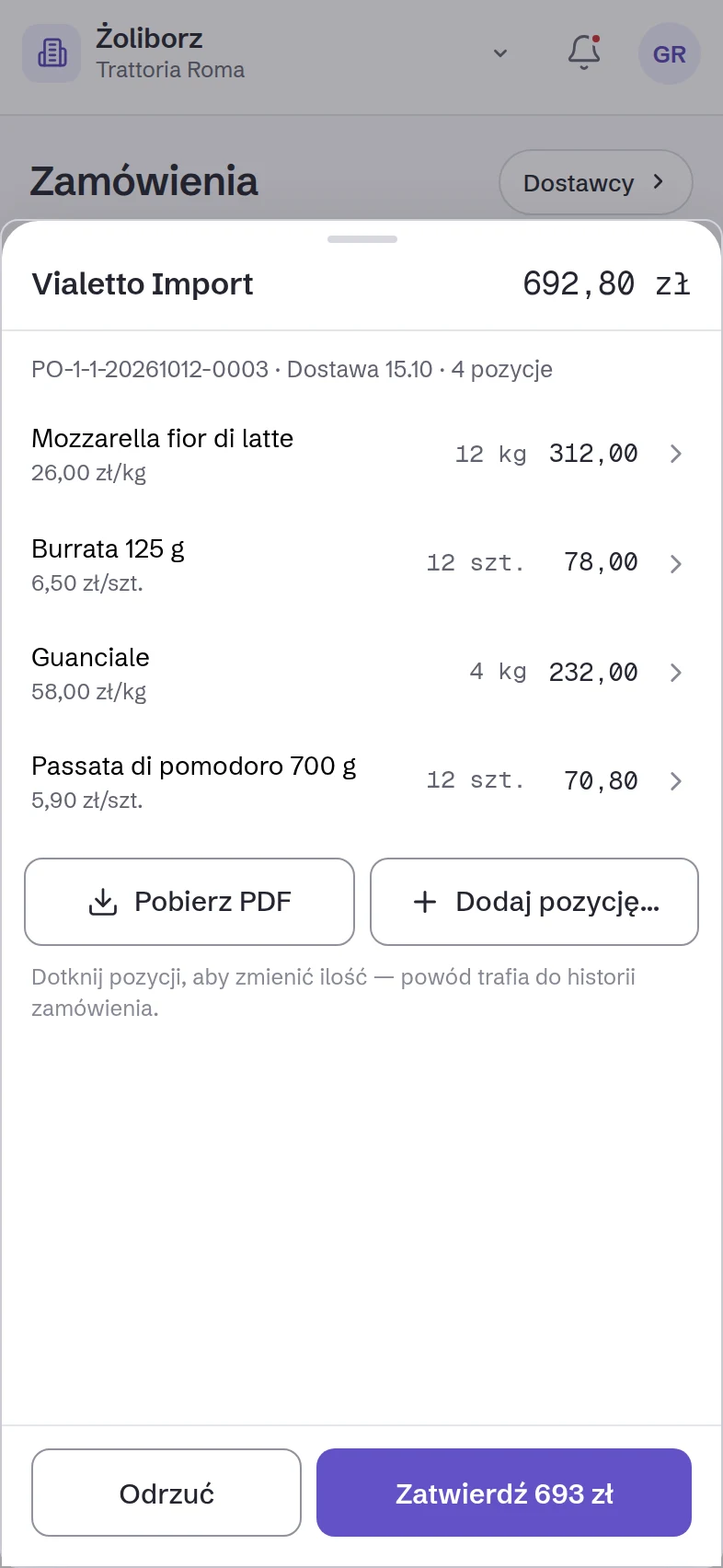
Step 3 of 4
The supplier gets a PDF in its own packs.
Owlly makes the order document: what to send and in which pack, for example “2 × carton · 6 × 1 kg”, with the delivery date on top. No prices: the invoice confirms them. You download the PDF and send it to the supplier by e-mail or a messenger.
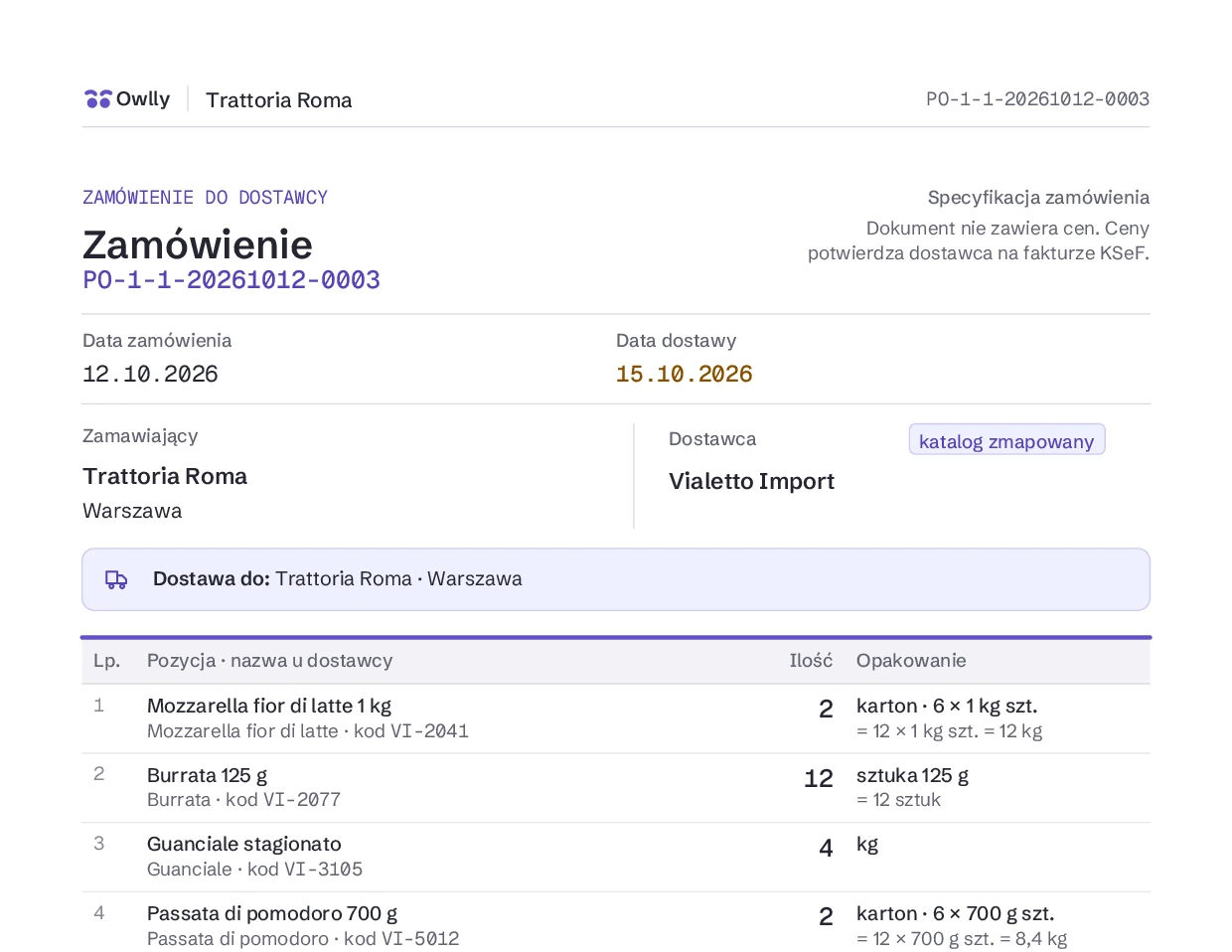
Step 4 of 4
The invoice, checked against the order.
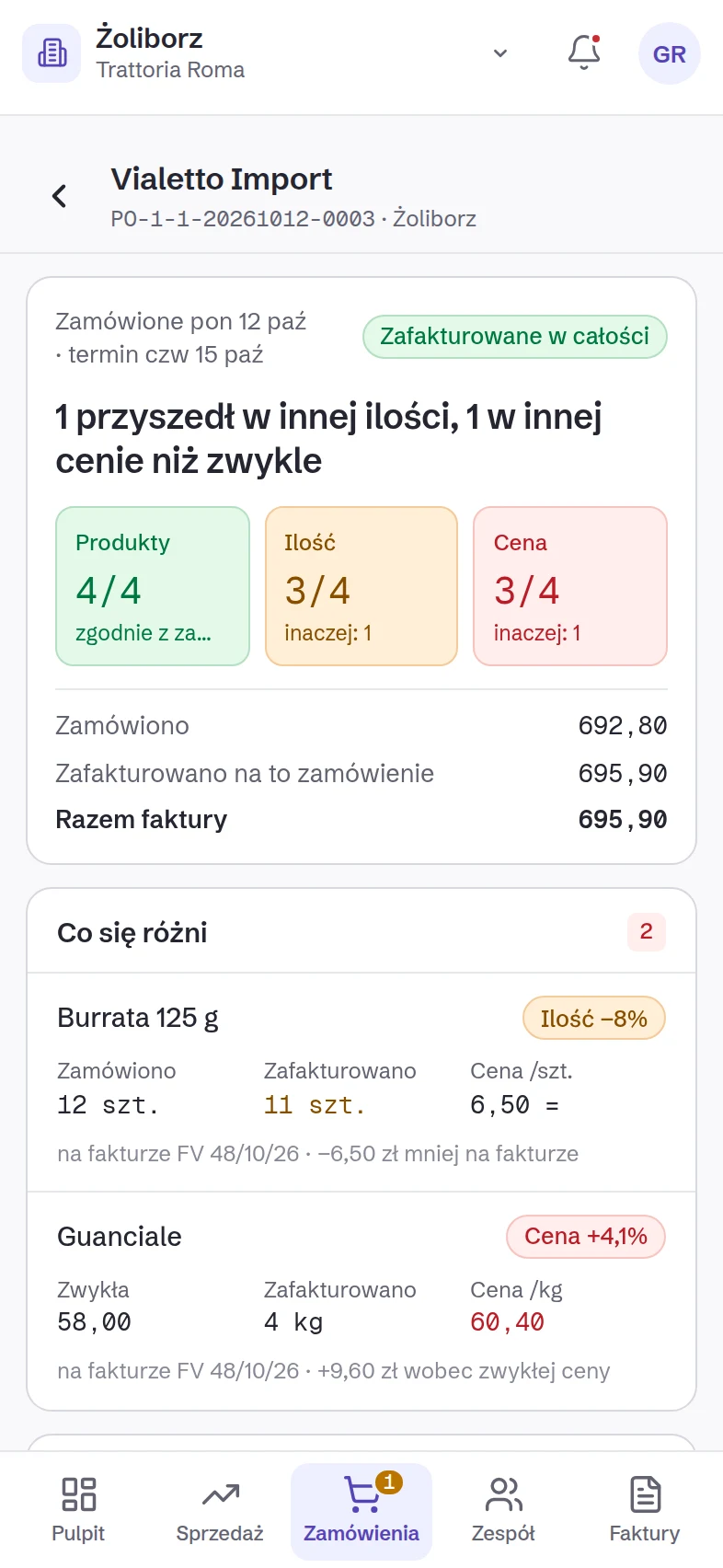
When the invoice arrives from KSeF, Owlly links it to the order by itself and shows the differences: what is missing, where the quantity differs, which price is off the usual and by how many złoty, what came that was not ordered. The usual price is the median of the last five days the product was on an invoice.
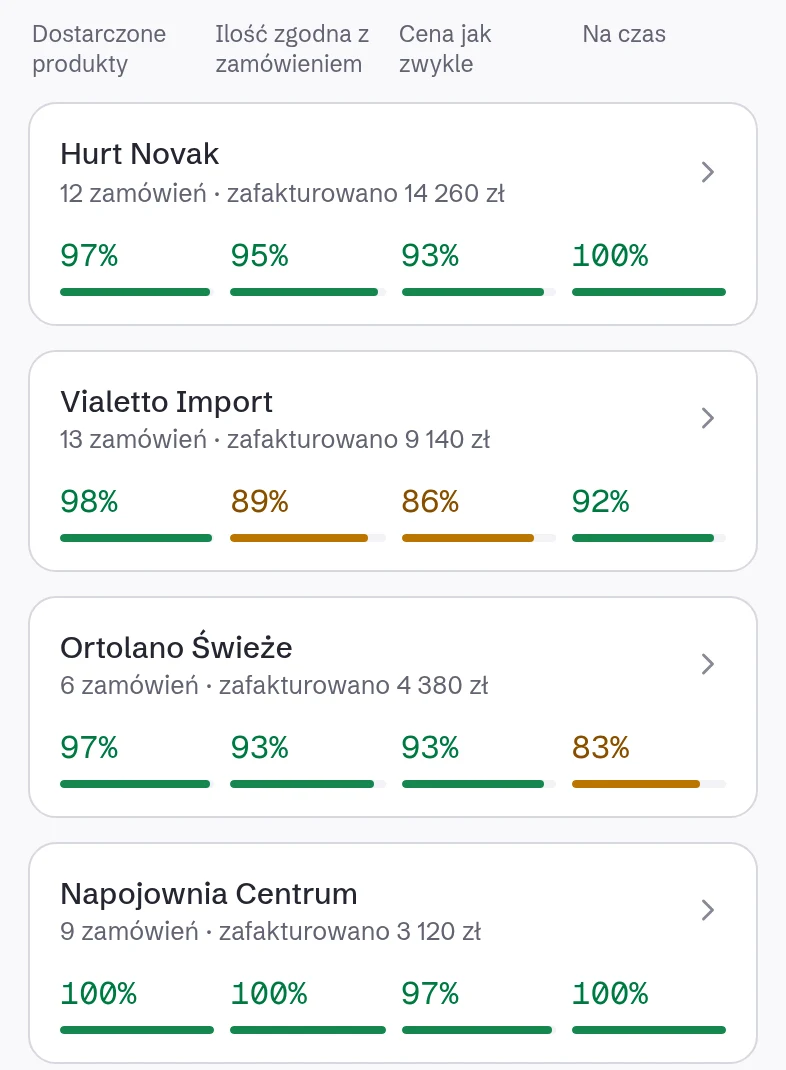
Which supplier delivers what you ordered.
From every order and invoice Owlly works out per supplier: how much was delivered, how much at the ordered quantity, how much at the usual price, how much on time, and how much you spend.
On the 249 zł net plan
With the Owlly till the proposed order is waiting for you.
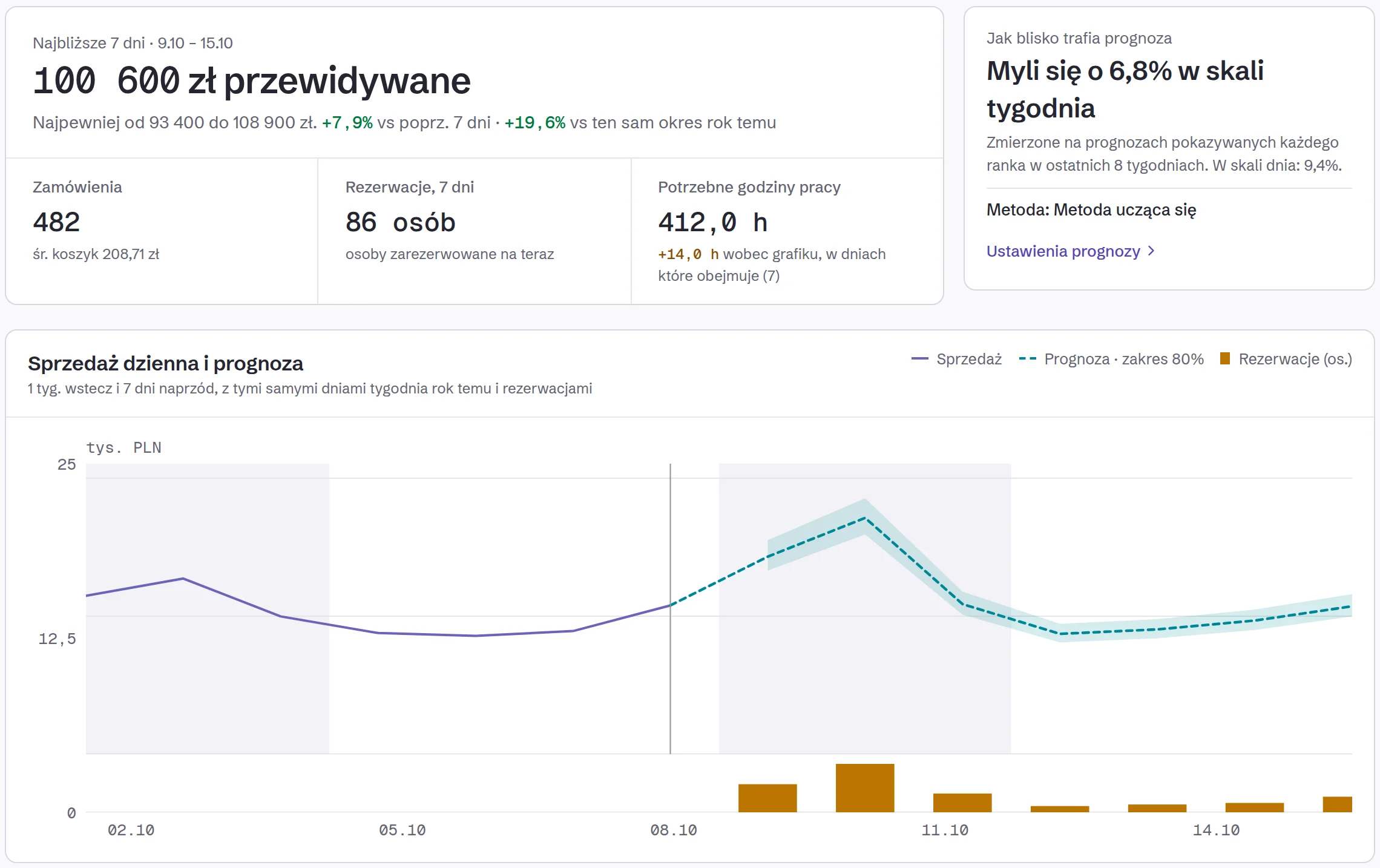
Owlly forecasts each venue’s sales (weather, bookings, events nearby) and, from the forecast and the stock, proposes an order for each supplier on its delivery days. The cook adjusts, you approve.
Questions about orders
Does the cook see prices?
No. In Owlly Staff they order quantities and packs. You see the amounts when you approve.
Who can order?
The person you give the ordering permission to, on a day they are on the rota.
Does the order go to the supplier by itself?
No. You approve it first. Then you download the PDF and send it to the supplier.
What if the cook changes the order after approval?
It comes back to you to approve again.
What if the invoice differs from the order?
You see the differences on the order: missing lines, quantities, prices in złoty. You raise it with the supplier with a precise list.
Which plan?
From the AI Cost & HR Management plan, 199 zł net per venue, together with Owlly Staff. Orders proposed from the forecast are on the 249 zł net plan.
Orders without retyping.
14 days of the whole back office free · no card · connect KSeF in about 15 minutes
Know your numbers.