Owlly POS · the till in the 249 zł net plan
The till that knows
your recipes.
Every bill takes ingredients off stock and teaches the forecast. It works on the tablet you already have, with a Posnet fiscal printer.
14 days of the whole back office free, no card · you set up the till with the Owlly assistant, free
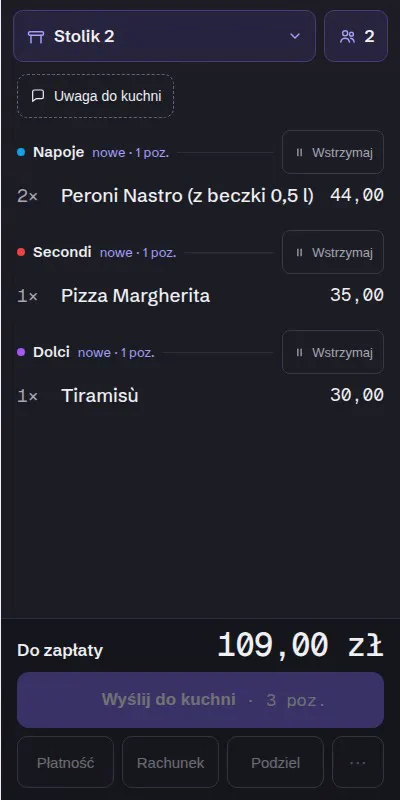
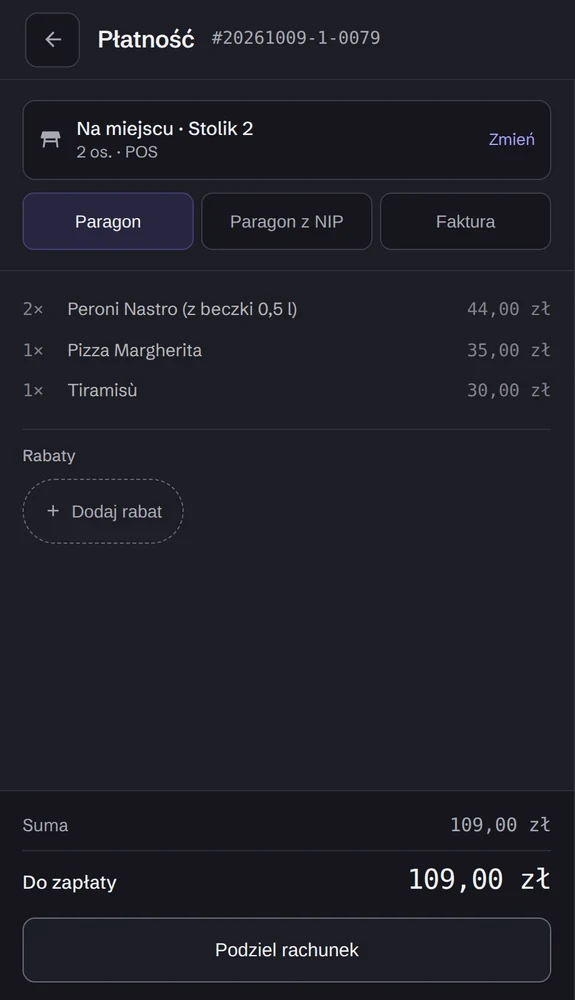
One bill. Four things that happen by themselves.
The till and the back office are one database, so you retype nothing.
Stock
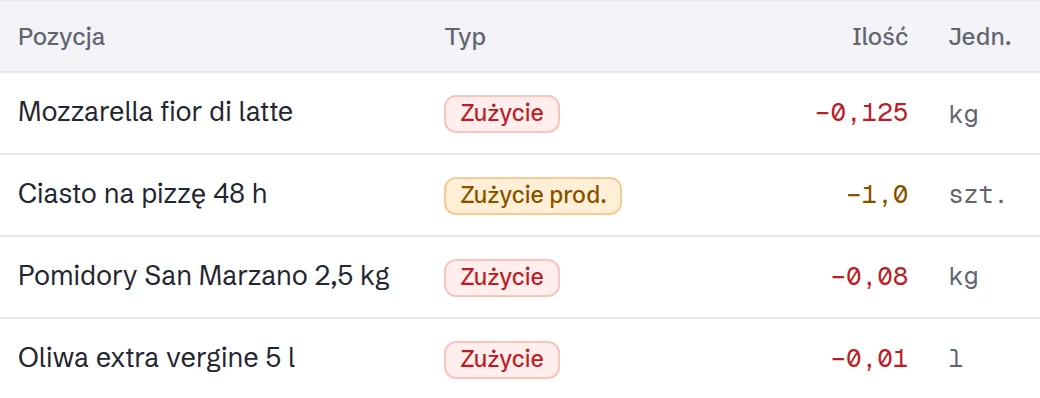
The dish’s ingredients come off stock by recipe.
Food cost
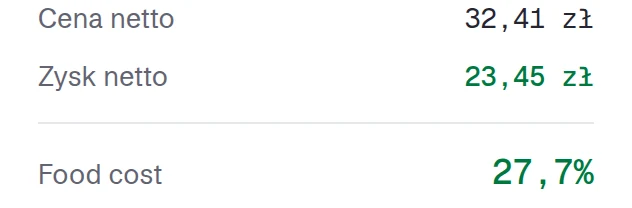
The cost of the dishes sold is computed from your invoice prices.
Forecast
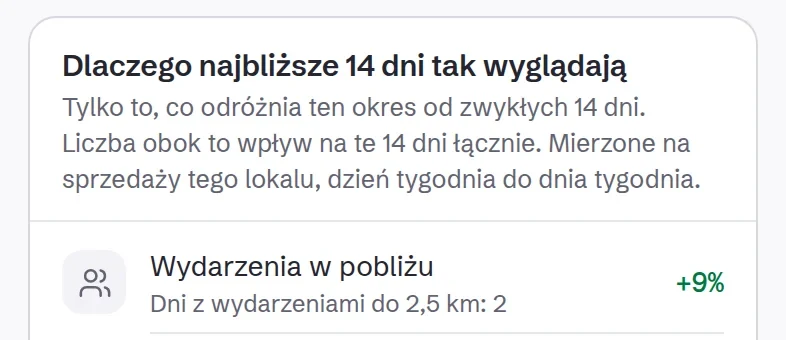
Each day’s sales teach the forecast and the proposed orders.
Phone
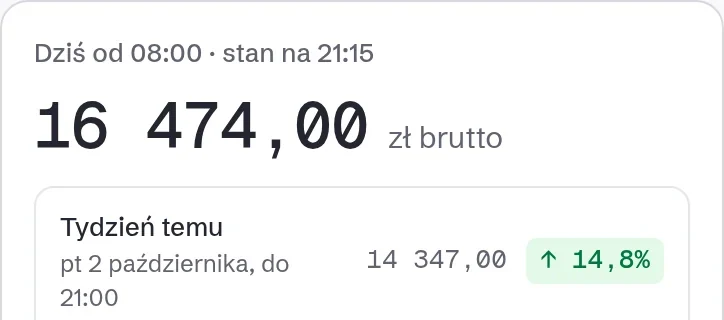
You see the day’s sales live, wherever you are.
You set the menu, prices and VAT once, in Menu & Recipes. The till gets the change in seconds.
You know how many guests you had. Not only how many bills there were.
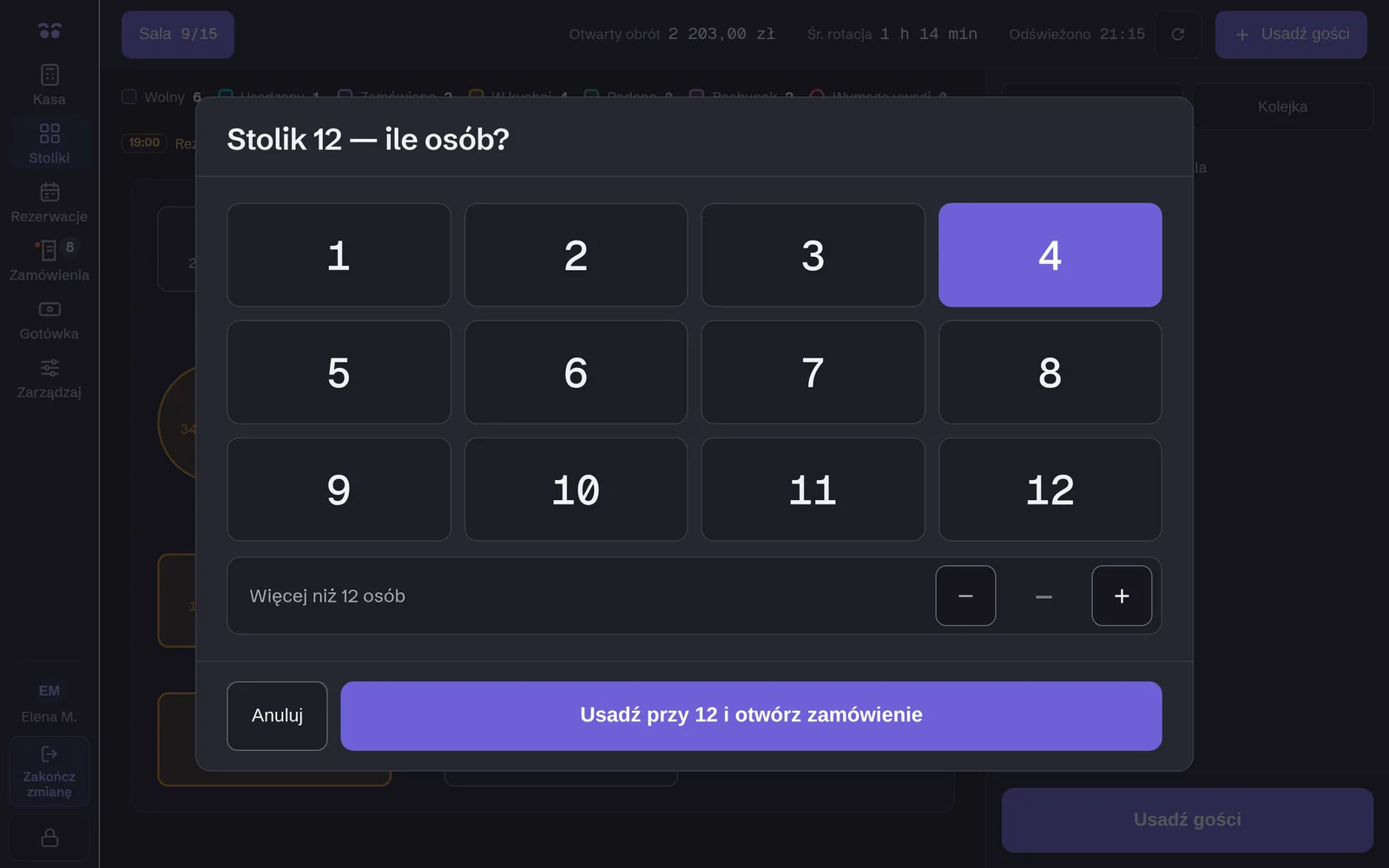
When a table is opened, the till asks: how many people? One tap on a big keypad. When someone joins mid-meal, you change the number in one move.
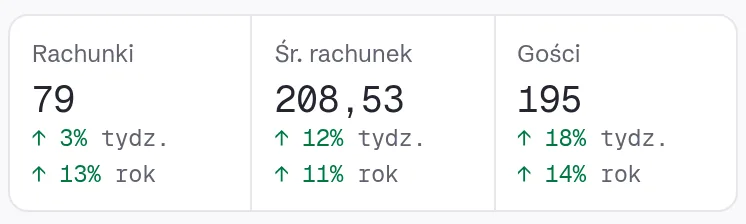
The day’s guests are on your phone, compared with last week and last year. Owlly shows spend per guest once at least one in five table bills carries a guest count. Delivery and takeaway do not count as guests.
A Friday night on one tablet.
Floor
The floor plan with every table’s state. Move, merge and split tables in one move.
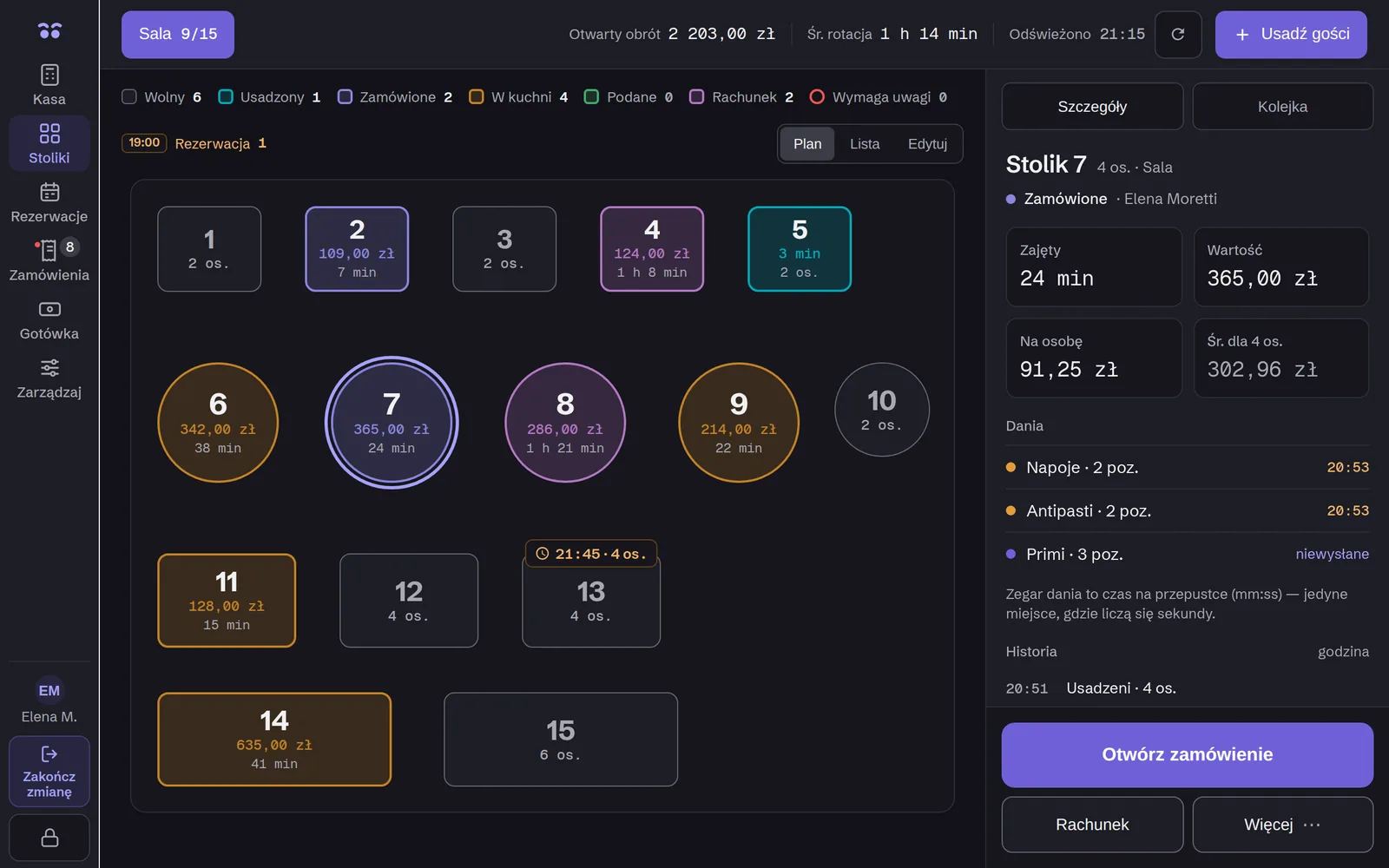
The floor plan with every table’s state. Move, merge and split tables in one move.
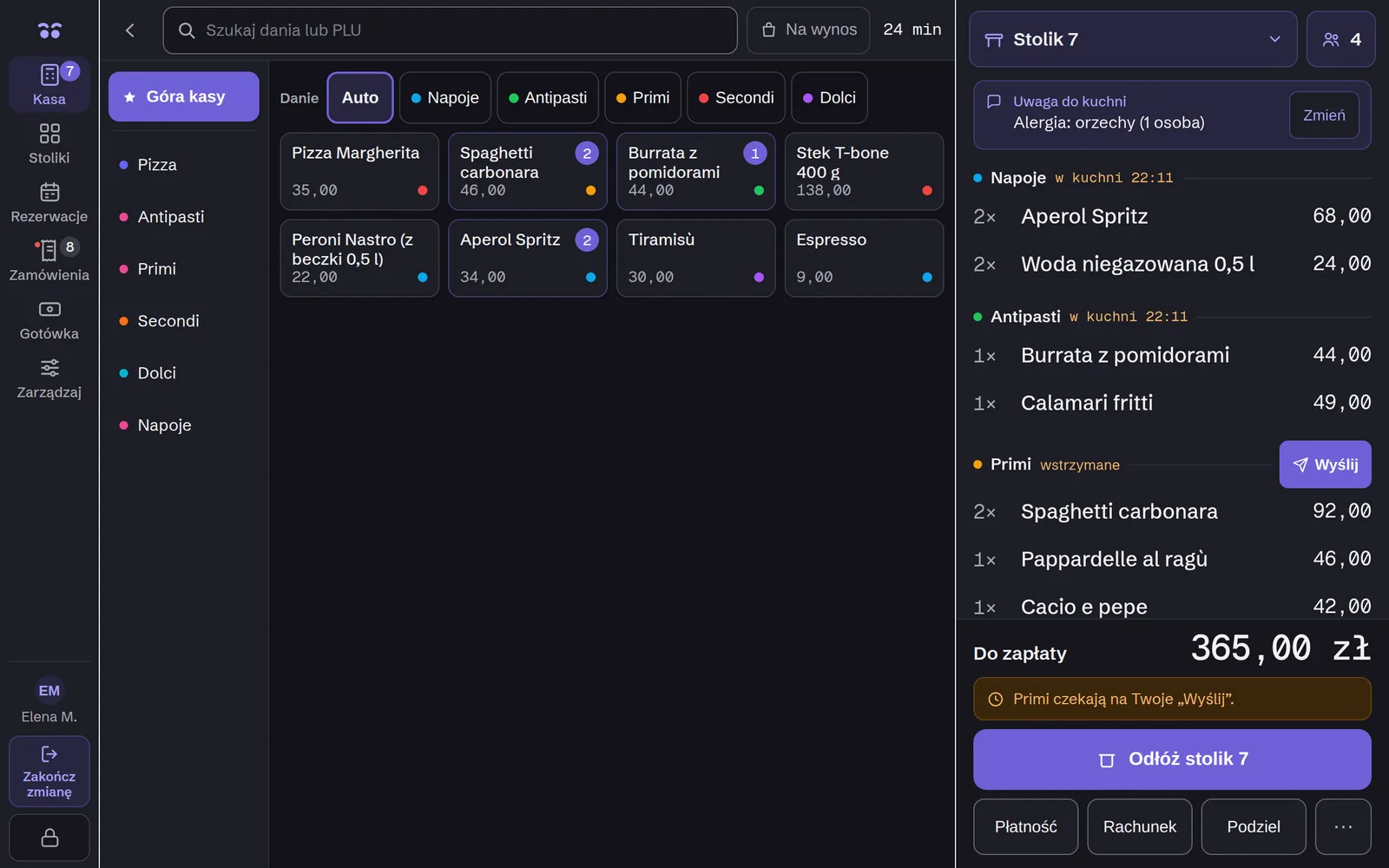
Pinned dishes on the first screen, dish options, courses held and fired on cue. A kitchen note, an allergy for example, prints on every ticket.
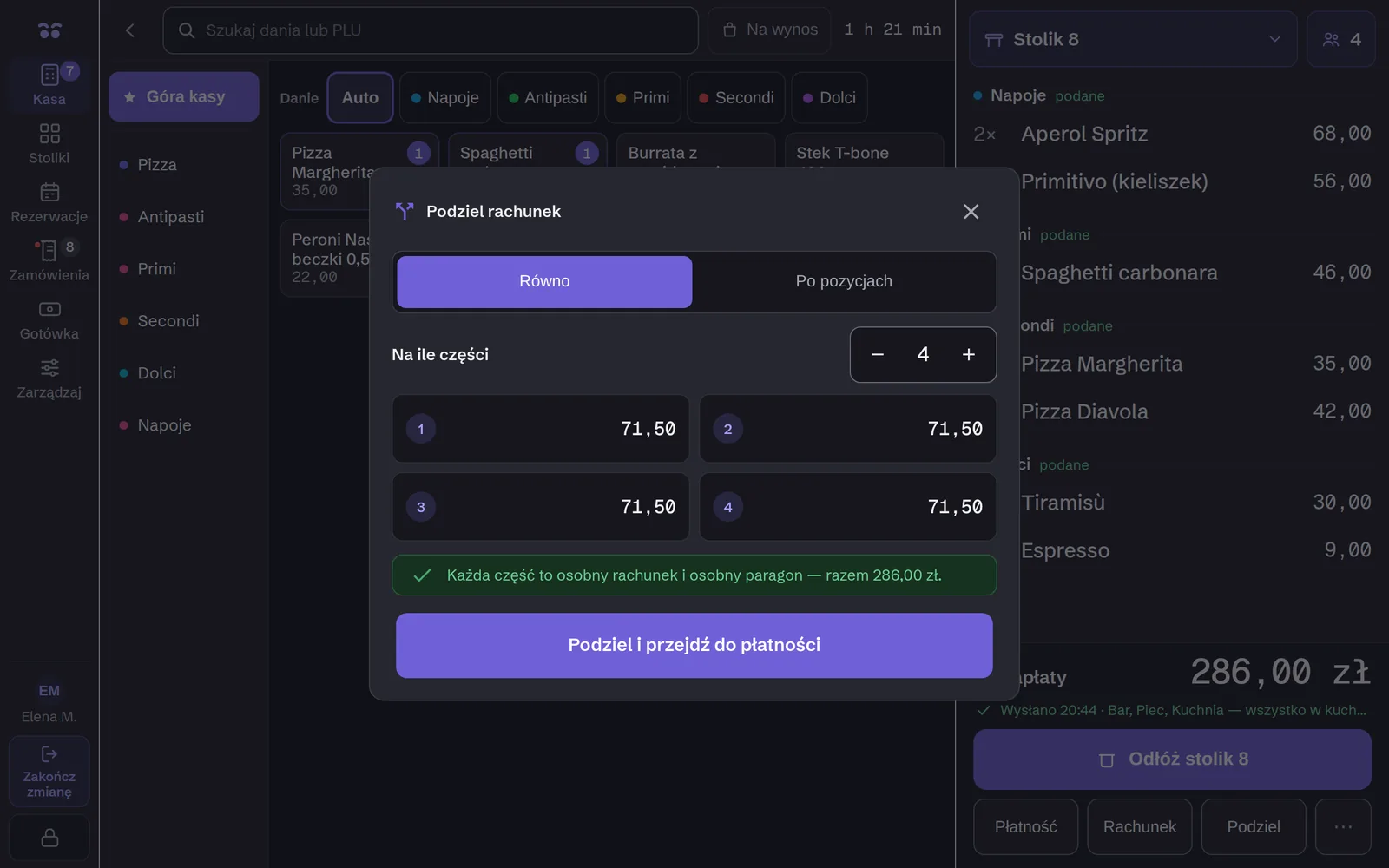
Split the bill evenly or by items, and each part gets its own receipt. A receipt, a receipt with a tax ID, or a VAT invoice, sent to KSeF.
Owlly KDS
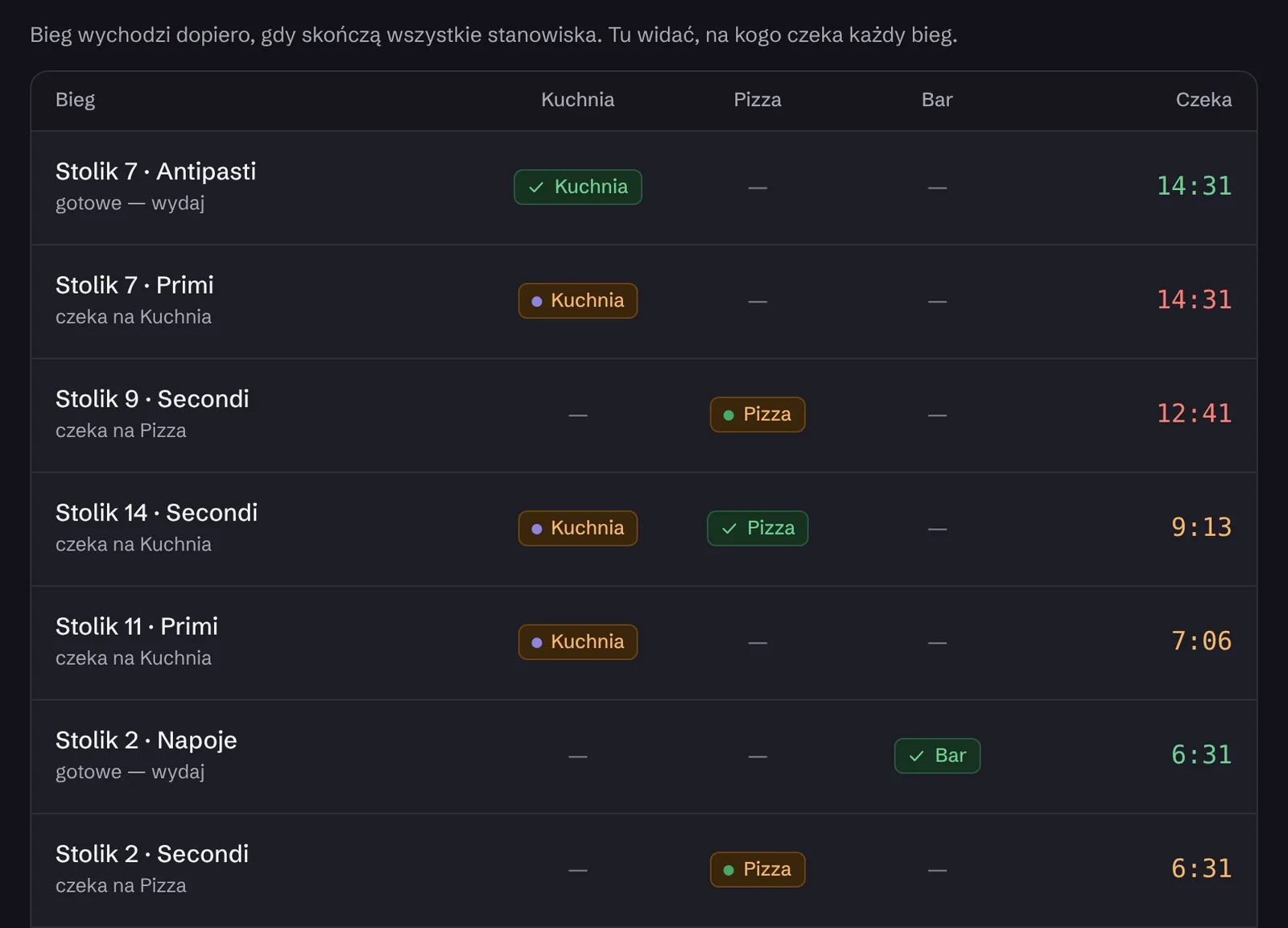
The kitchen sees the order the moment the waiter sends it.
Owlly KDS is the kitchen screen on its own tablet, connected to the till. Every order is a card with the time since it was sent, split into courses.
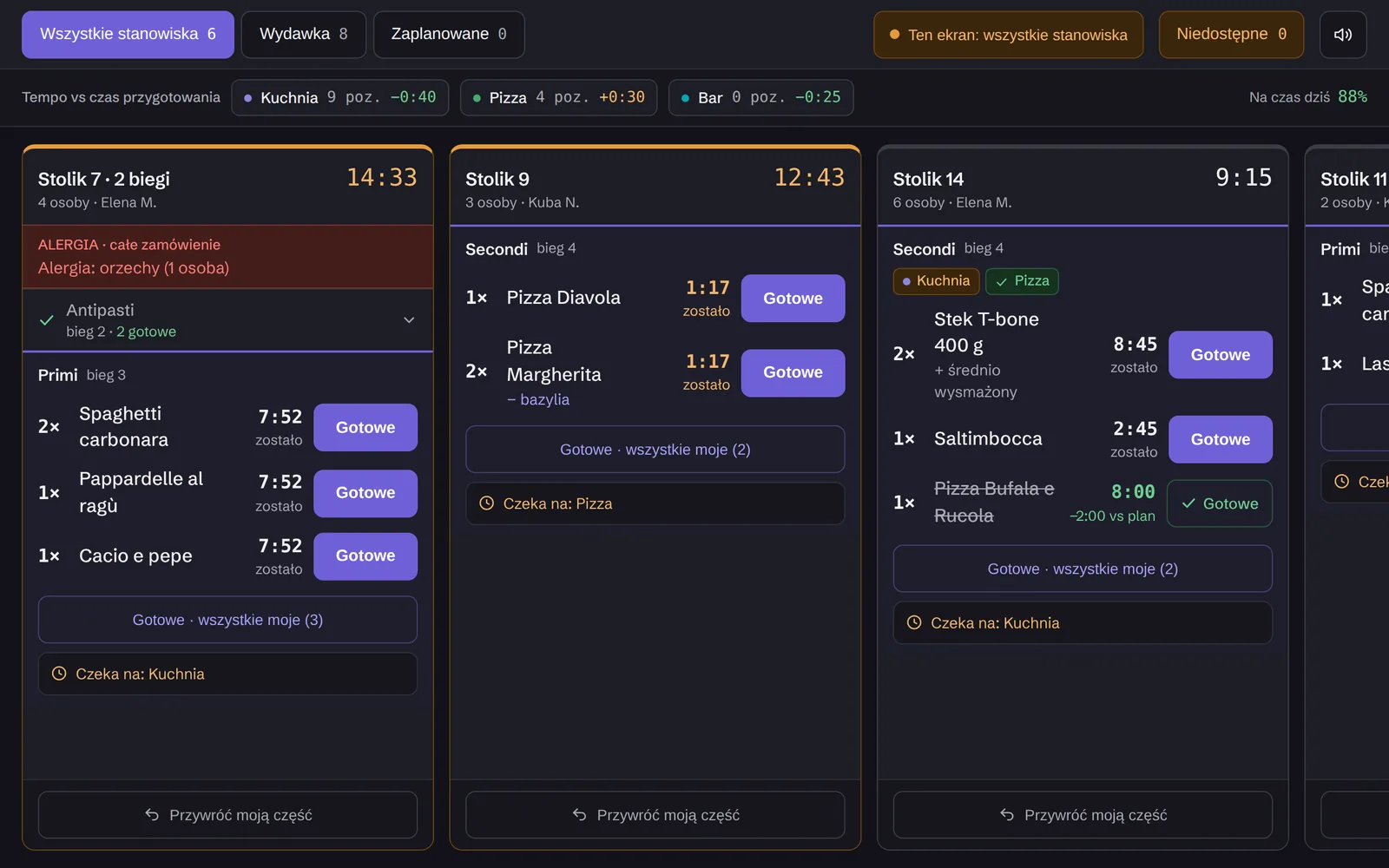
Prefer paper? Any network ESC/POS printer prints tickets per station, also alongside the screen.
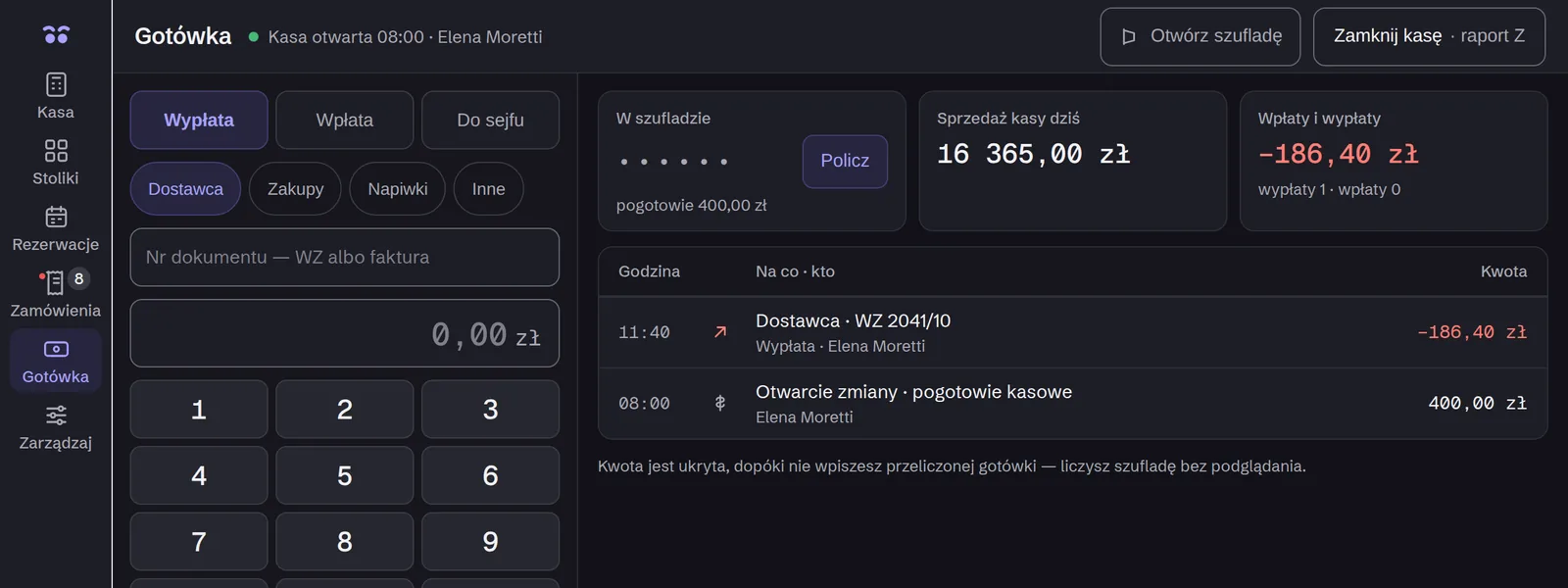
Everything a till needs between bills.
ChoiceQR and delivery-platform contracts are your own.
Hardware you already have.
A tablet with a modern browser: iPad, Android or Windows. You install the till with a 10-character code.
A Posnet fiscal printer on the network and the Owlly app on an Android 8 or newer device. It can be the same tablet. Kitchen tickets print on any network ESC/POS printer.
Posnet fiscal printers. Have a different one? We’ll add it during setup.
You set up the till with the Owlly assistant.
Free. The printer and the tablet stay yours.
- 1Start free: invoices, ingredients, menu and recipes work from day one.
- 2The assistant gives you a QR code: you scan it with the tablet, and Owlly walks you through the install.
- 3Owlly finds the printers, prints a test on each and checks the till is ready for the evening.
- 4Your first service on the Owlly till. When something’s wrong, you write it to the assistant.
Bottegas, two venues in Warsaw, sells on the Owlly till every day.
Already an Owlly customer? Tills are added from inside Owlly: POS → Devices → Add a till. You get a code for that one venue, scan it with the tablet, and your team signs in with a PIN. Sign in to Owlly
Questions about the till
Can I keep my till?
Yes, on the 149 and 199 zł net plans: Owlly sends it stock receipts (PZ). Recipes, stock and the forecast work with the Owlly till, in the 249 zł net plan.
Does the till work during the trial?
For 14 days the whole back office works. You set up the Owlly till with the assistant once you choose the 249 zł net plan.
What does the till cost?
The till is in the Full AI operating system plan: 249 zł net per venue, monthly, with the whole back office and 150 zł of AI credit. No setup fee.
What if printing stops on a Saturday night?
Write it to the assistant from your phone. It checks the printers and tills live, tells you what happened and guides the person at the venue. A printer’s address, its stations or a locked PIN it fixes itself, after your approval.
I have a different fiscal printer.
Owlly works with Posnet fiscal printers. Another brand we add during setup.
How do delivery orders reach me?
Through ChoiceQR: orders from Glovo, Wolt, Bolt Food and Uber Eats appear on the till, in the kitchen and on the receipt. You need a ChoiceQR plan and your own contract with each platform.
Will my staff learn it quickly?
The till has two levels: categories, then dishes. You pin the most common dishes to the first screen.
Start with the back office. You’ll set up the till with the assistant.
14 days of the whole back office free · no card · setting up the till is free
Know your numbers.