How it works · one loop, four steps
From the invoice
to the order.
You buy, cost, sell and reorder. Owlly joins the four steps into one loop; AI runs it and only asks you for the decisions.
14 days of the whole back office free · no card · connect KSeF in about 15 minutes
1 · You buy
Invoices arrive by themselves. You only check what AI wasn’t sure of.
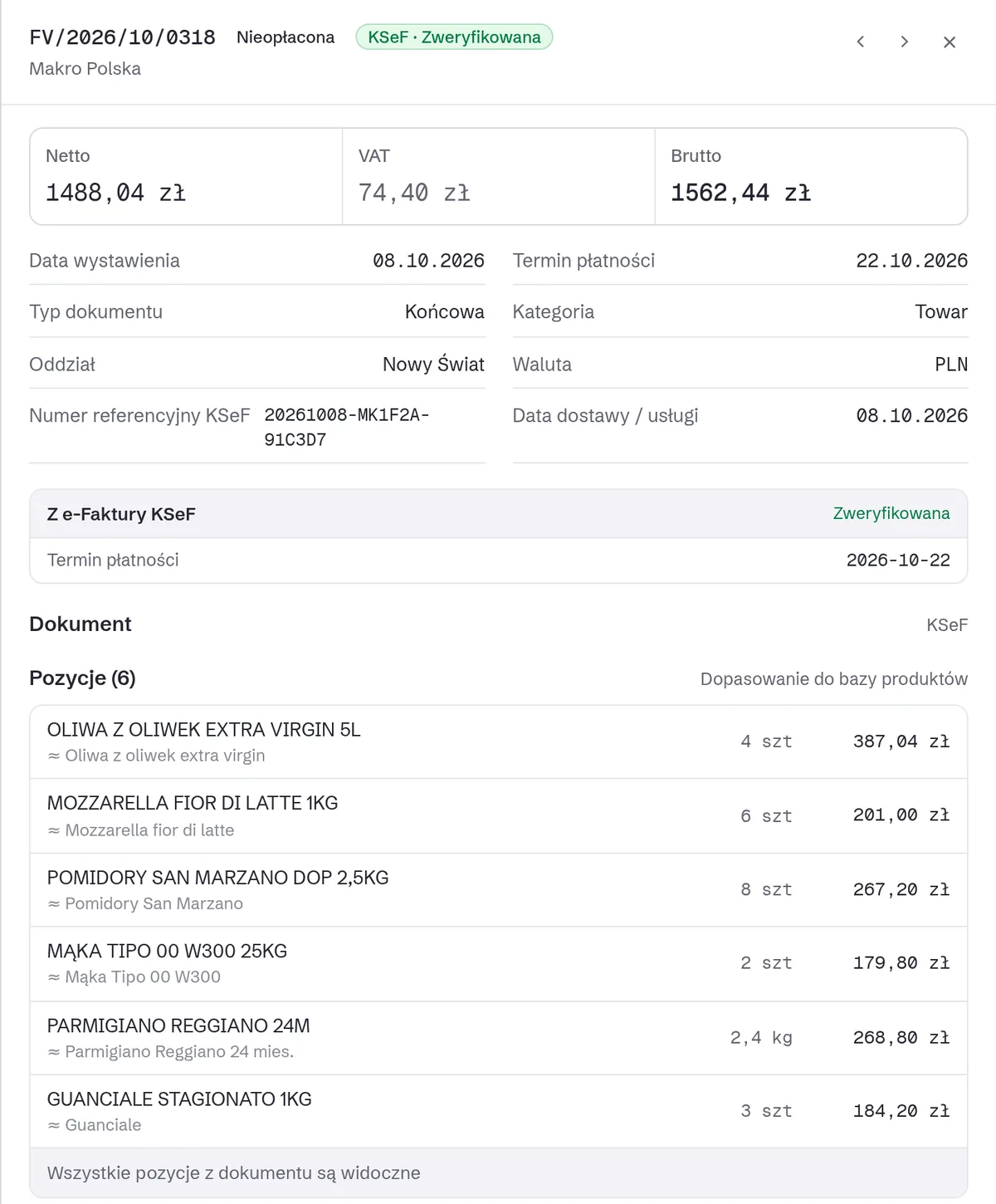
Owlly pulls invoices from your suppliers from KSeF every hour, and the last 30 days when you first connect. The rest you forward by e-mail or photograph. AI reads every line: supplier, quantity, price, VAT and due date.
Mailbox: Outlook or IMAP.
2 · You cost
Three names on the invoices, one ingredient. One price in the recipe.
Every supplier names the same product differently. AI joins the lines into one ingredient, with one price history. The recipe is priced with those prices, and every night Owlly recalculates the cost of every dish.
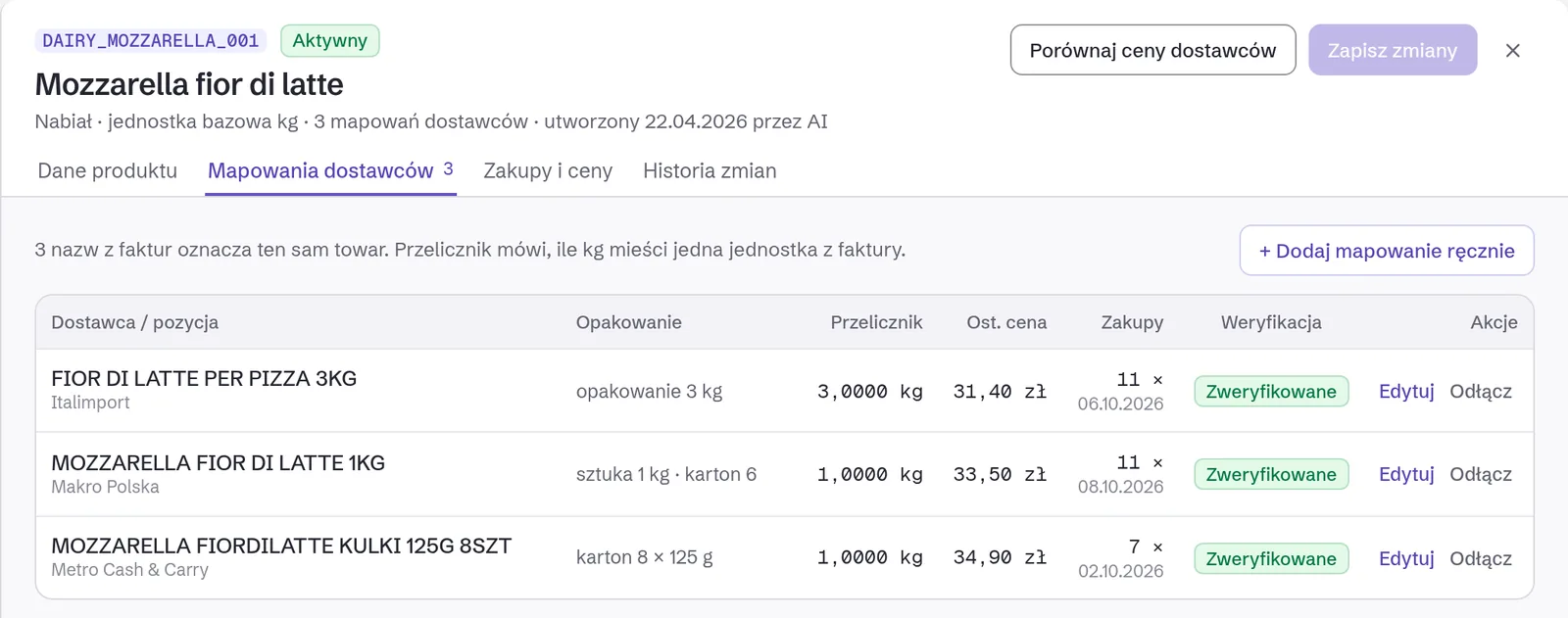
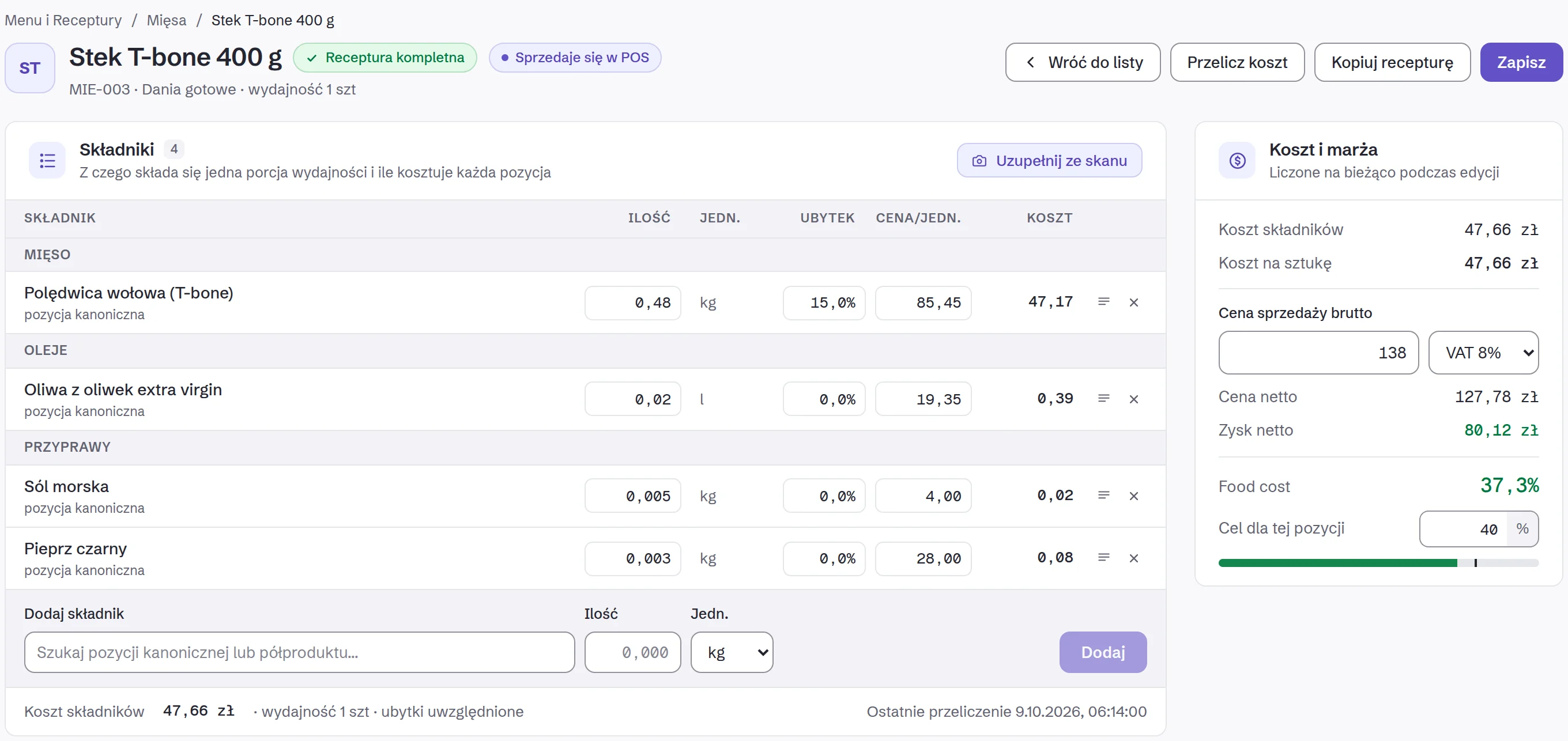
The ingredient catalogue is in every plan. Recipes and food cost are in the 249 zł plan.
3 · You sell
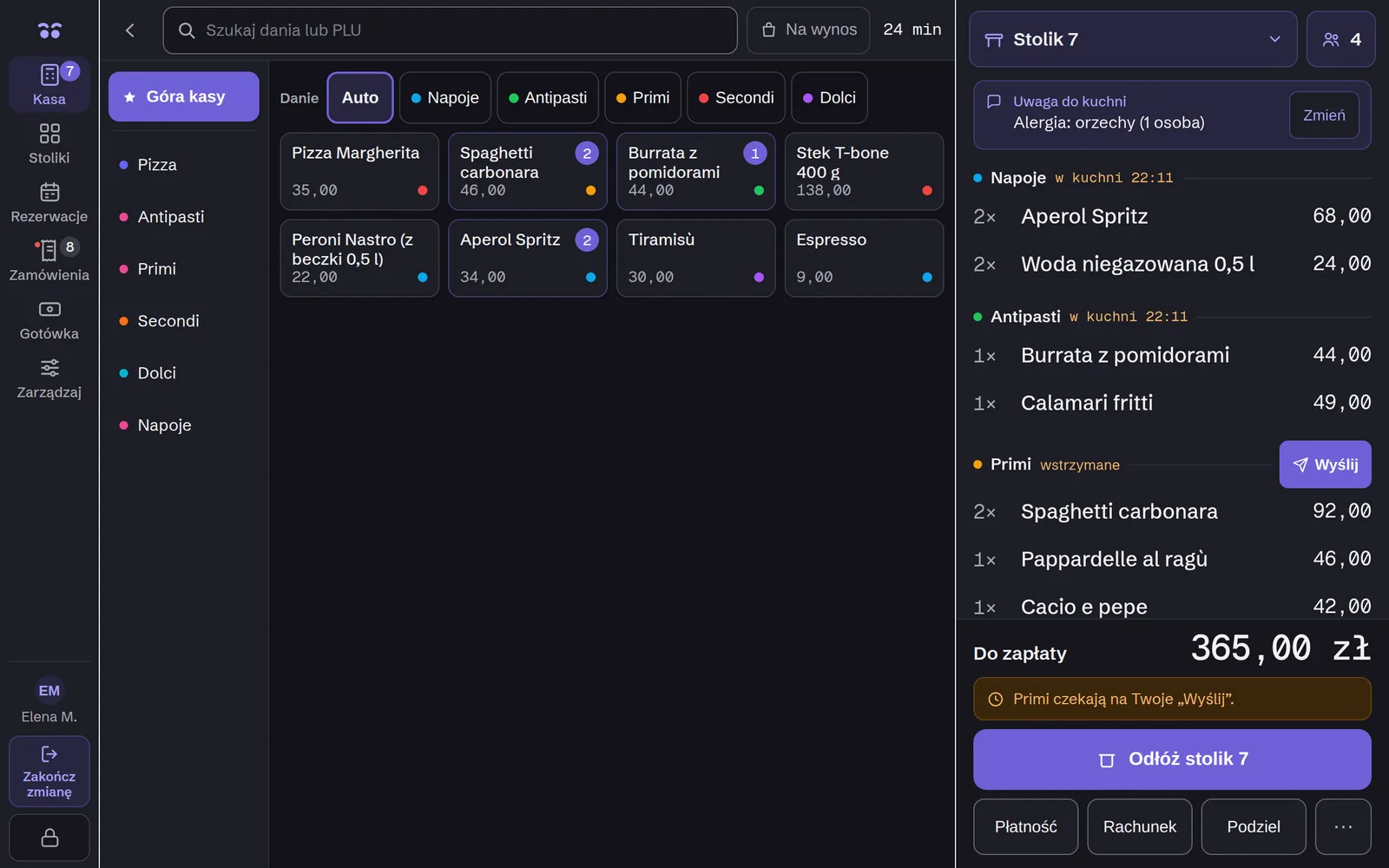
The till that knows your recipes.
Every bill takes ingredients off stock and teaches the forecast. The till and the back office know each other, so you retype nothing.
Everything about the Owlly till →
The Owlly till is in the 249 zł plan. On 149 and 199 zł you keep your till, and Owlly sends it stock receipts (PZ).
4 · You reorder
A concert at the National Stadium on Saturday. The forecast knows.
Owlly forecasts each venue’s sales: weather, holidays, bookings and events nearby: a match, a concert, a march. With every forecast you see why it is what it is, and how close it came in the past weeks.
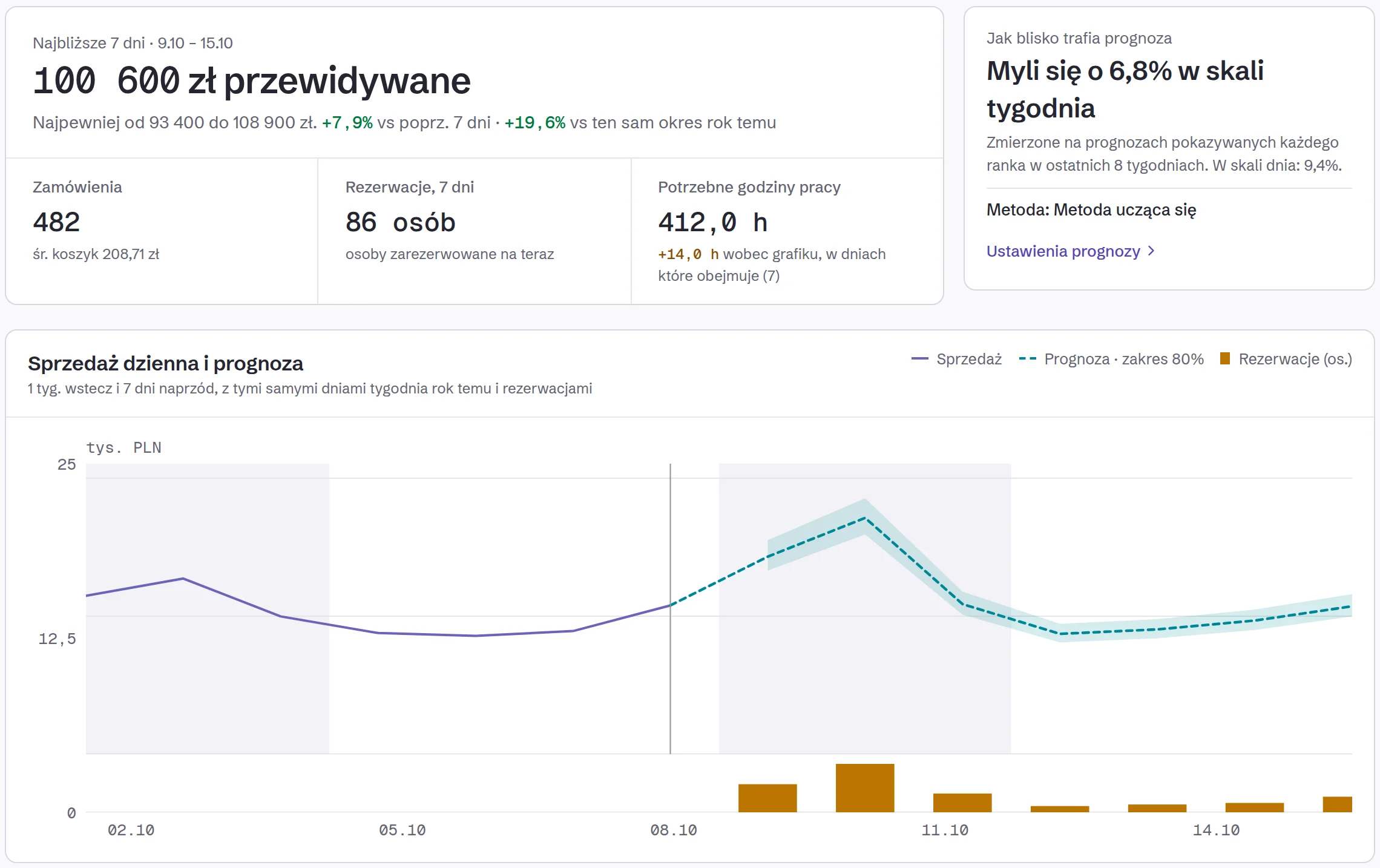
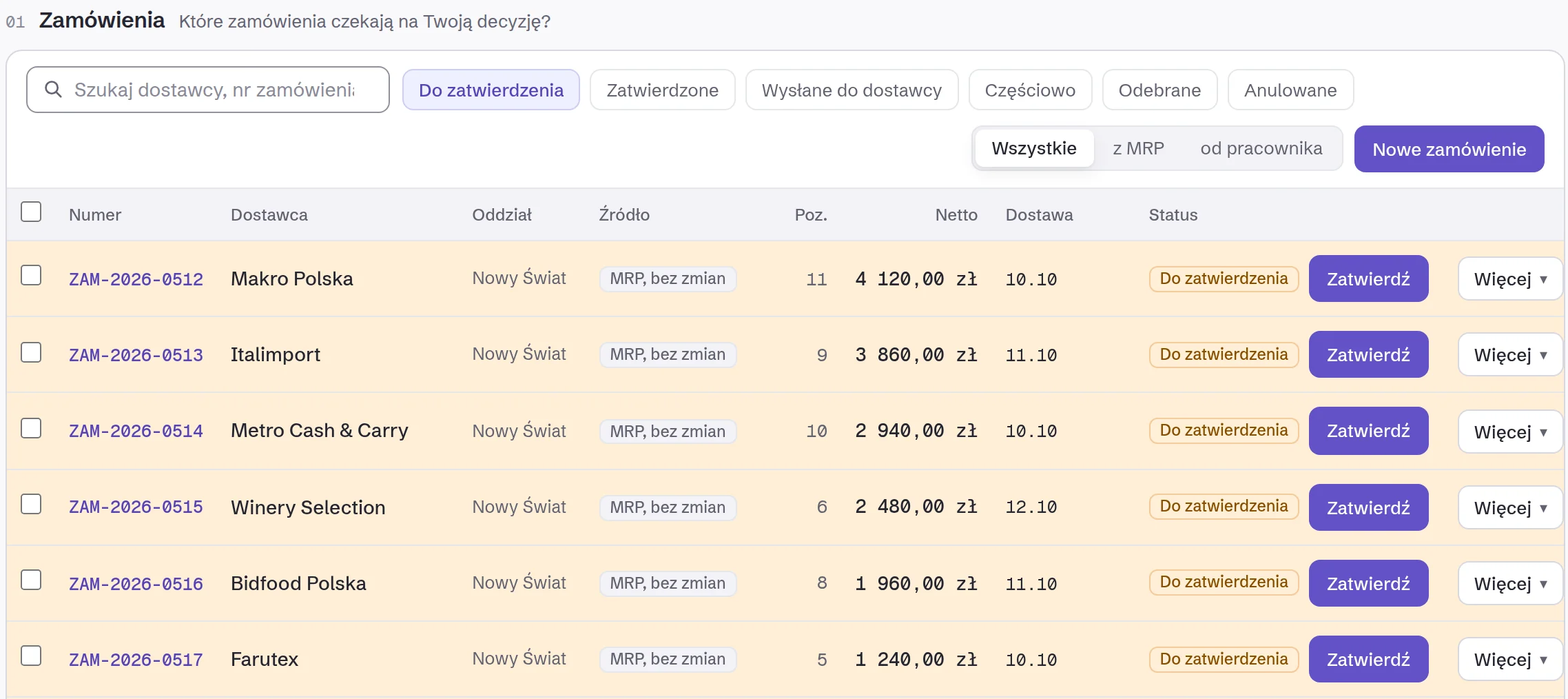
Supplier orders are in every plan. The forecast and the proposals from it are in the 249 zł plan, because they learn from Owlly till sales.
The next invoice closes the loop.
When the invoice for an order arrives, Owlly checks it against what you ordered by itself. A difference gets its name and its amount:
And then the loop again: buy, cost, sell, reorder.
From these comparisons comes a scorecard for each supplier: delivered, quantities, prices, on time.
Alongside the loop · The team
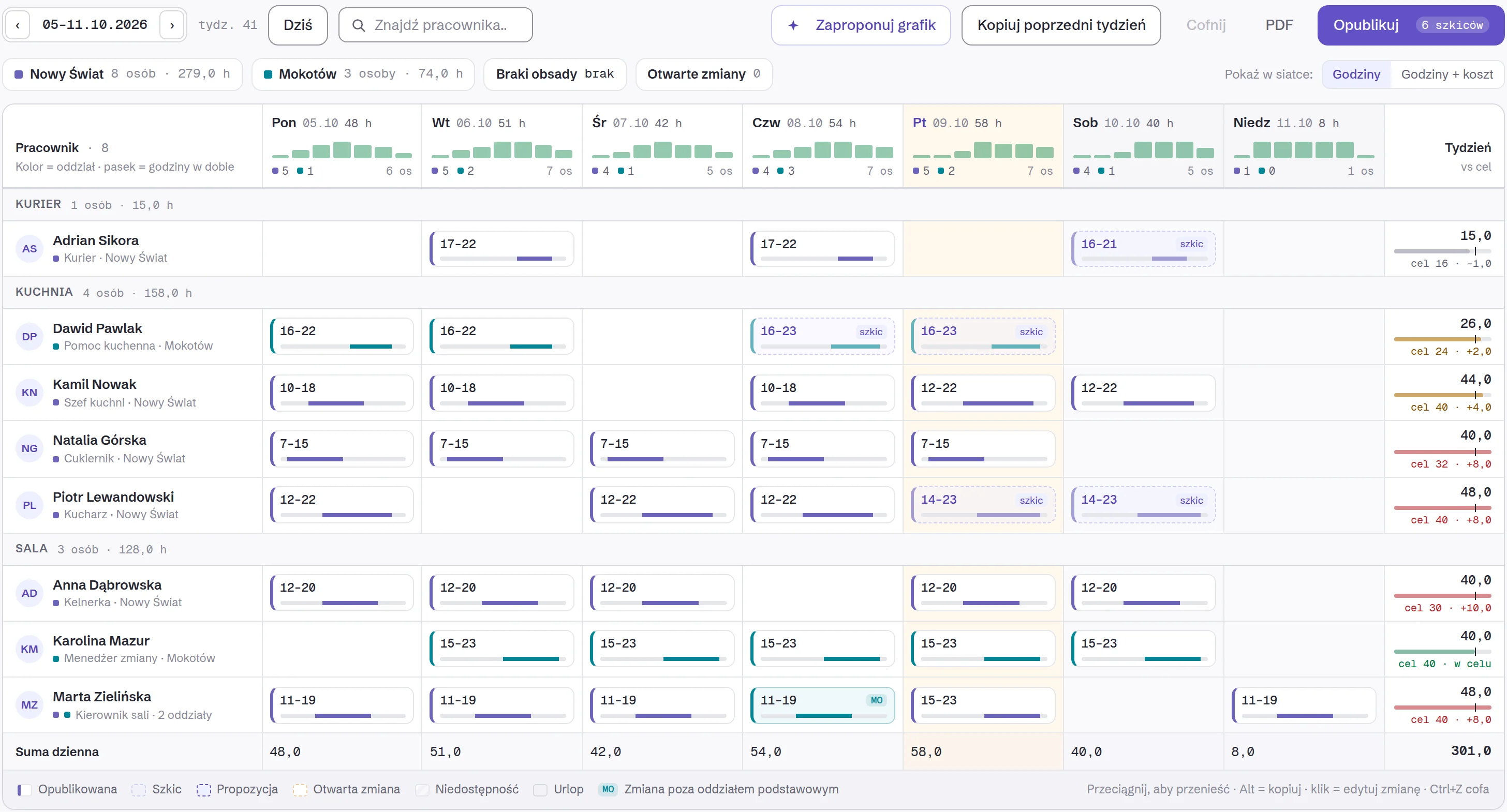
Who’s working tomorrow?
Owlly proposes the rota from past weeks and the venue’s needs. When you publish, only the people whose shift changed are notified. Every employee has their rota on their phone, in the Owlly Staff app, in Polish, English, Ukrainian or Russian.
Clock-in and clock-out happen on the till, so you see labour cost next to purchase cost. The rota and Owlly Staff are in the 199 and 249 zł plans.
AI proposes. You decide.
You set each AI feature, the assistant too, separately:
AI credit is included in the plan. You top up only when you choose to.
How you start
- 1Start free: an account with no card, 14 days of the whole back office.
- 2Connect KSeF, in about 15 minutes. Owlly pulls the last 30 days of invoices.
- 3Add your menu: AI reads it from a PDF or a photo, and you check it.
- 4Move to the Owlly till, free: you set it up with the Owlly assistant.
Your accountant doesn’t have to change anything.
Questions
Do I have to change my till?
On the 149 and 199 zł plans you keep your till, and Owlly sends it stock receipts (PZ). Stock from sales, the forecast and the cost of dishes sold work with the Owlly till, in the 249 zł plan.
What if AI gets it wrong?
Every field has a confidence level. Certain ones post themselves; uncertain ones wait for one click. You set every AI feature: automatically, ask first, or manually.
How long before I see my numbers?
You connect KSeF in about 15 minutes, and Owlly pulls the last 30 days of invoices straight away.
Where is my data?
Stored and processed in the EU. AI model providers receive invoice content under standard contractual clauses. The sub-processor register is public.
Does my accountant have to change anything?
No. Owlly pulls purchase invoices from KSeF and doesn’t change how your accounting office works.
What does it cost?
From 149 zł net per venue, monthly, no setup fee. The full loop, with the Owlly till, from 249 zł.
Start with your invoices.
14 days of the whole back office free · no card · connect KSeF in about 15 minutes
Know your numbers.