For restaurants, cafés and bars
The restaurant operating system.
Run by AI.
Your till and your whole back office in one system. AI follows what is happening around your restaurant, forecasts your sales and suggests the decisions. You approve them.
14 days of the whole back office, free · no card · you connect KSeF in about 15 minutes
Moving to the Owlly till? You'll set it up with the Owlly assistant.
 +109 zł+109 zł
Connect KSeF. See your last month.
Since KSeF, invoices from your suppliers arrive as data, not paper. That is why Owlly works after a quarter of an hour, with no typing.
Owlly pulls the last 30 days of invoices from KSeF and turns them into numbers: what you bought, from whom and for how much. AI matches the lines to your ingredients: three names for the same mozzarella become one ingredient with one price.
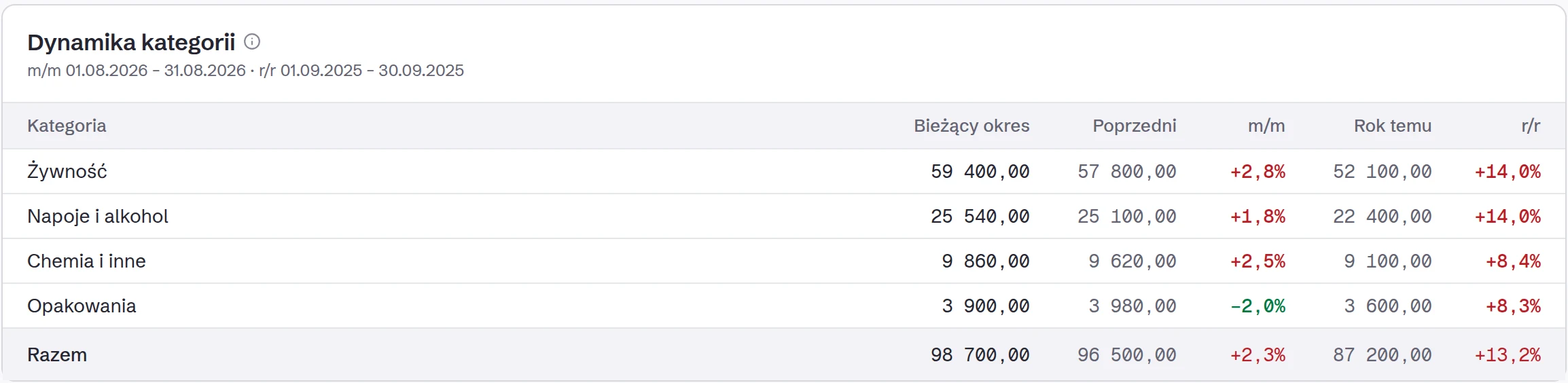
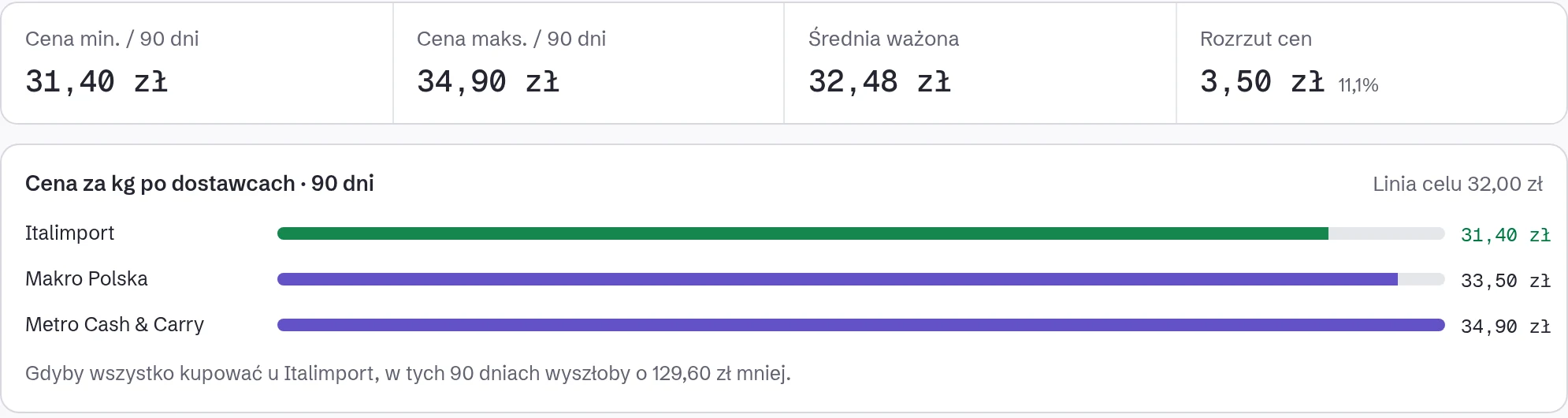
Buying the same mozzarella from three suppliers? You will see the three prices side by side.
In the morning, the first price alerts, wherever your month already shows a rise.
- 1Log in to KSeF and create a token for Owlly. We will show you every click.
- 2Paste it into Owlly.
- 330 days of invoices are in. New ones arrive every hour.
Does your accounting office handle KSeF? Ask them for a token for Owlly.
Invoices outside KSeF you add by e-mail or a phone photo.
Buying the same mozzarella from three suppliers? You will see the three prices side by side.
In the morning, the first price alerts, wherever your month already shows a rise.
Four questions you ask every week. One system that knows the answers.
How much do I really make on this dish?
The recipe is priced with your own invoice prices, and every night Owlly recalculates the cost of every dish. Owlly also tells you what the dish must cost for the food cost you want.
You do not retype recipes: AI reads your menu as a PDF, or a photo of a recipe card.
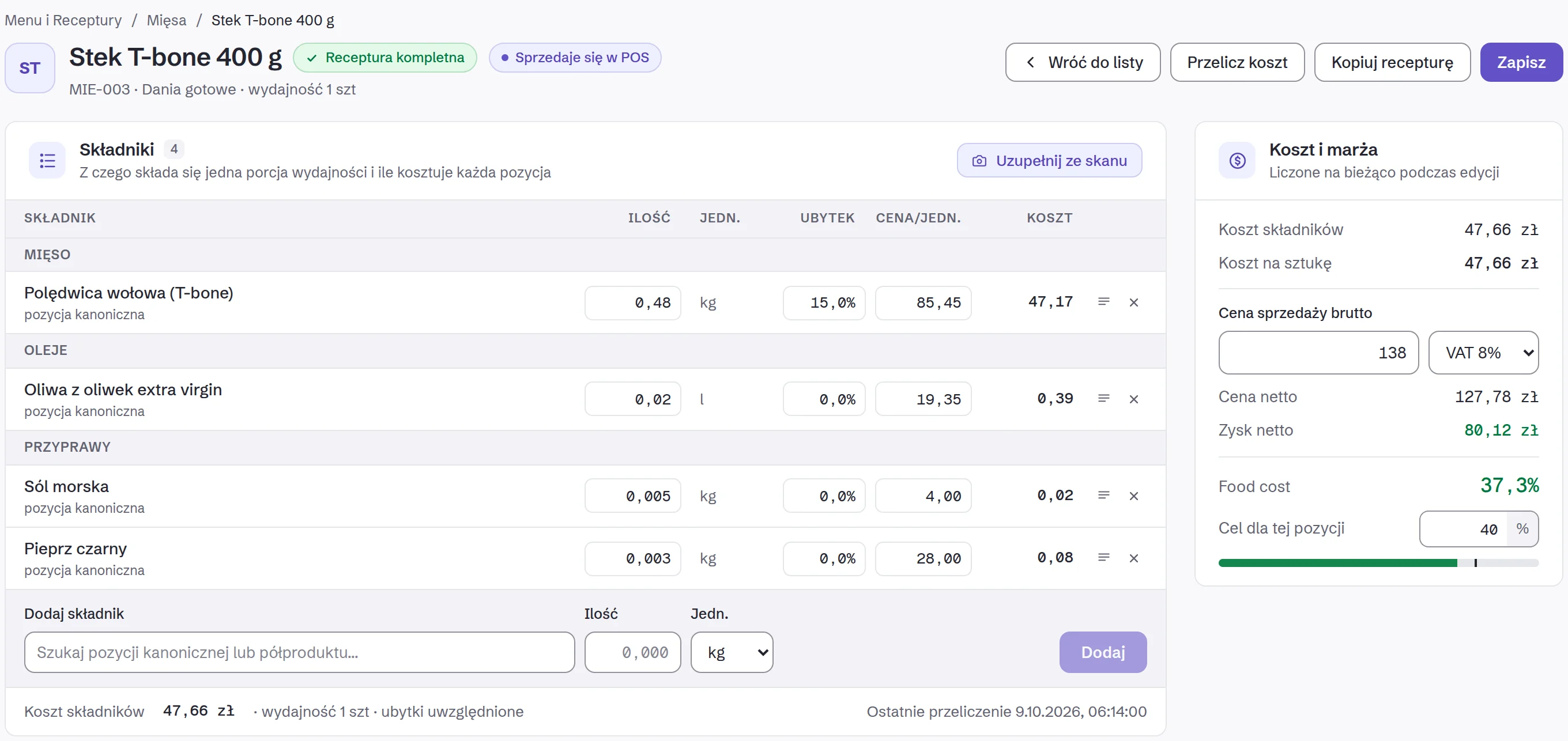
Every invoice from a supplier reaches Owlly by itself. The next morning you know which product went up and what it costs you, before you order again.
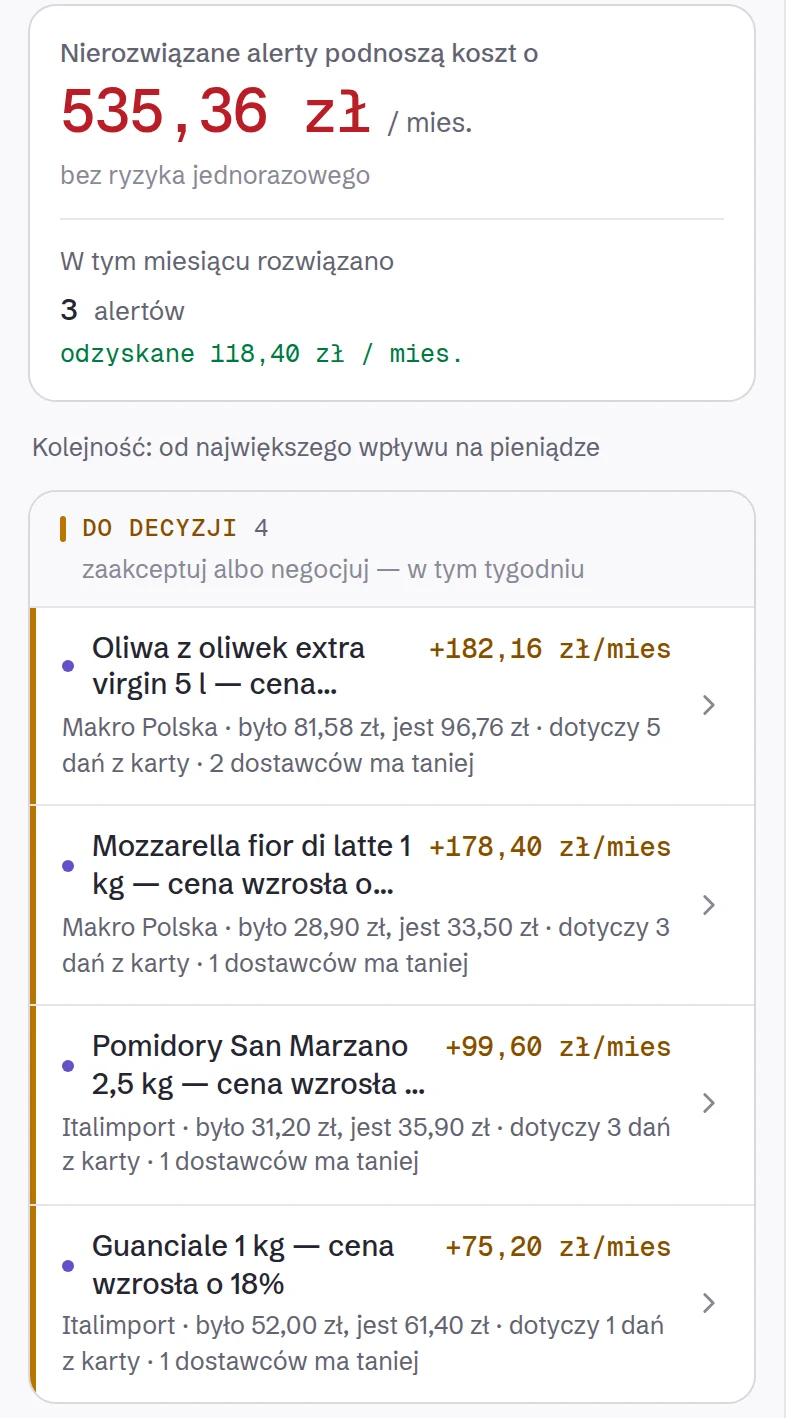
The recipe is priced with your own invoice prices, and every night Owlly recalculates the cost of every dish. Owlly also tells you what the dish must cost for the food cost you want.
You do not retype recipes: AI reads your menu as a PDF, or a photo of a recipe card.
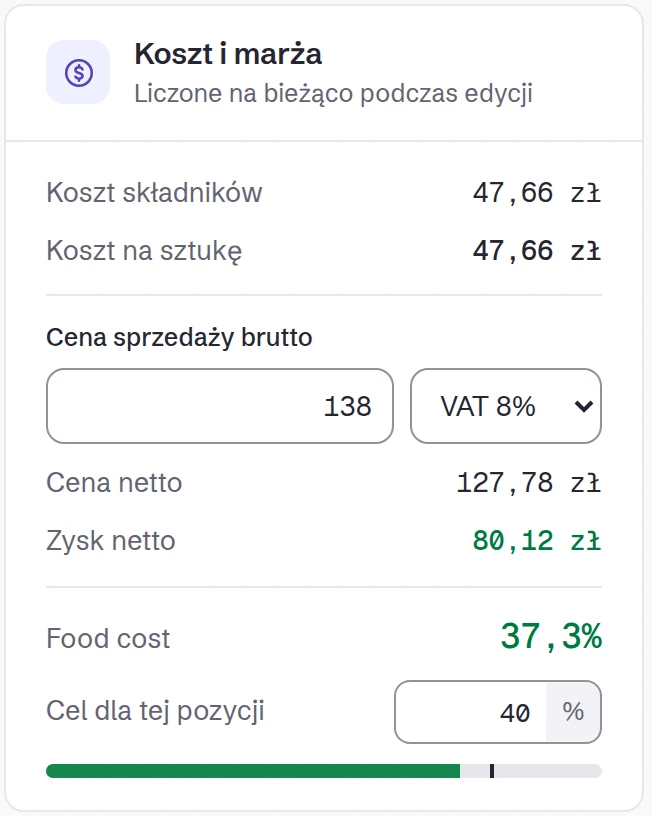
The cook orders from the phone in Owlly Staff, you approve with one tap, and the supplier gets a PDF in its own packs. When the invoice comes, Owlly checks it against the order.
With the Owlly till (249 zł net) the proposed order is waiting for you, from the sales forecast.
See how ordering works →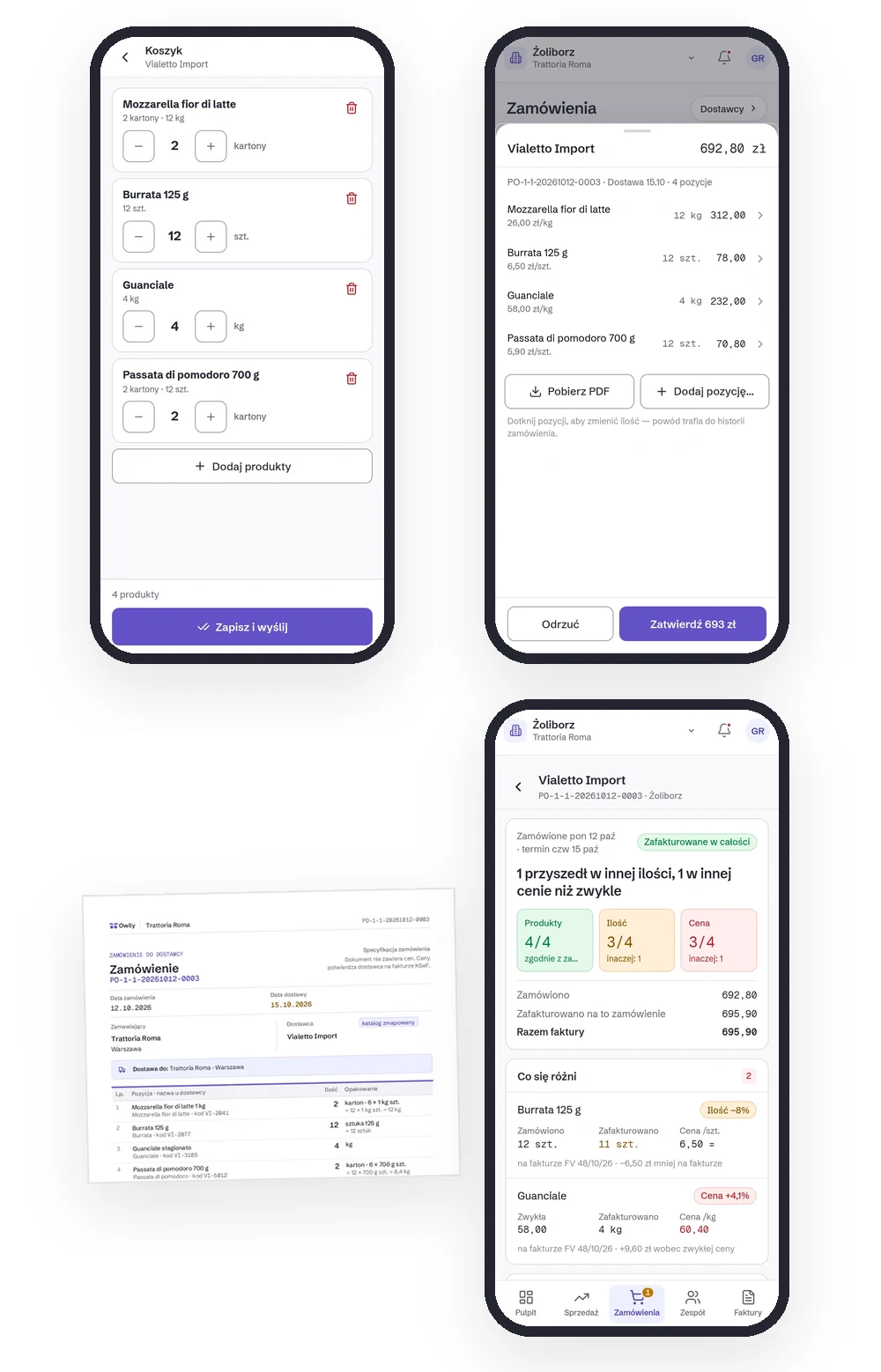
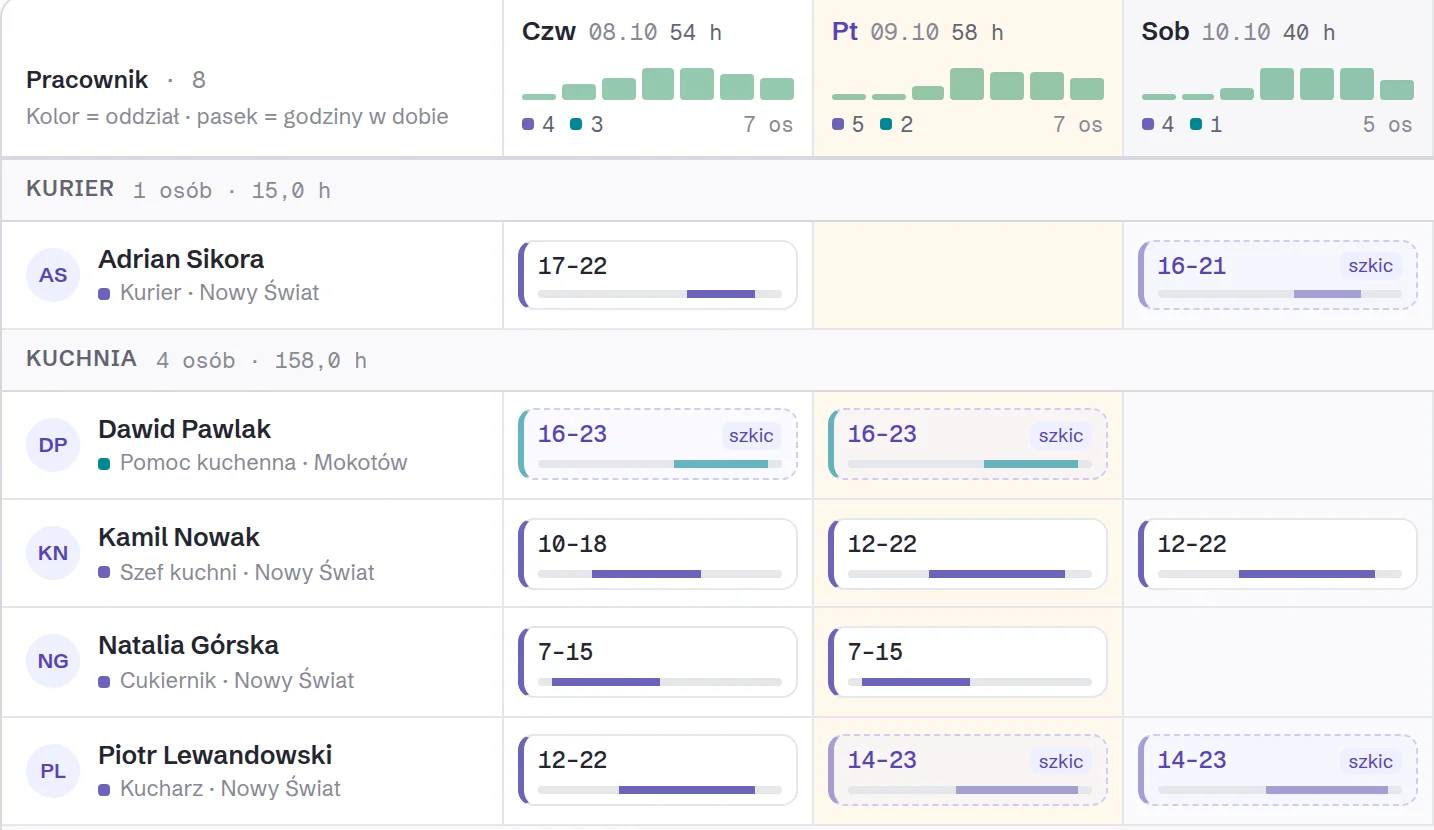
Owlly proposes the rota from past weeks and the venue’s needs. When you publish, only the people whose shift changed are notified. Every employee has their rota on their phone, in Owlly Staff, in Polish, English, Ukrainian or Russian.
Clock-in and clock-out happen on the till, so you see labour cost next to purchase cost.
The full system with the Owlly till: 249 zł net per venue a month. Pricing ↓
The Owlly assistant
Say what to do. Owlly prepares it, you approve.
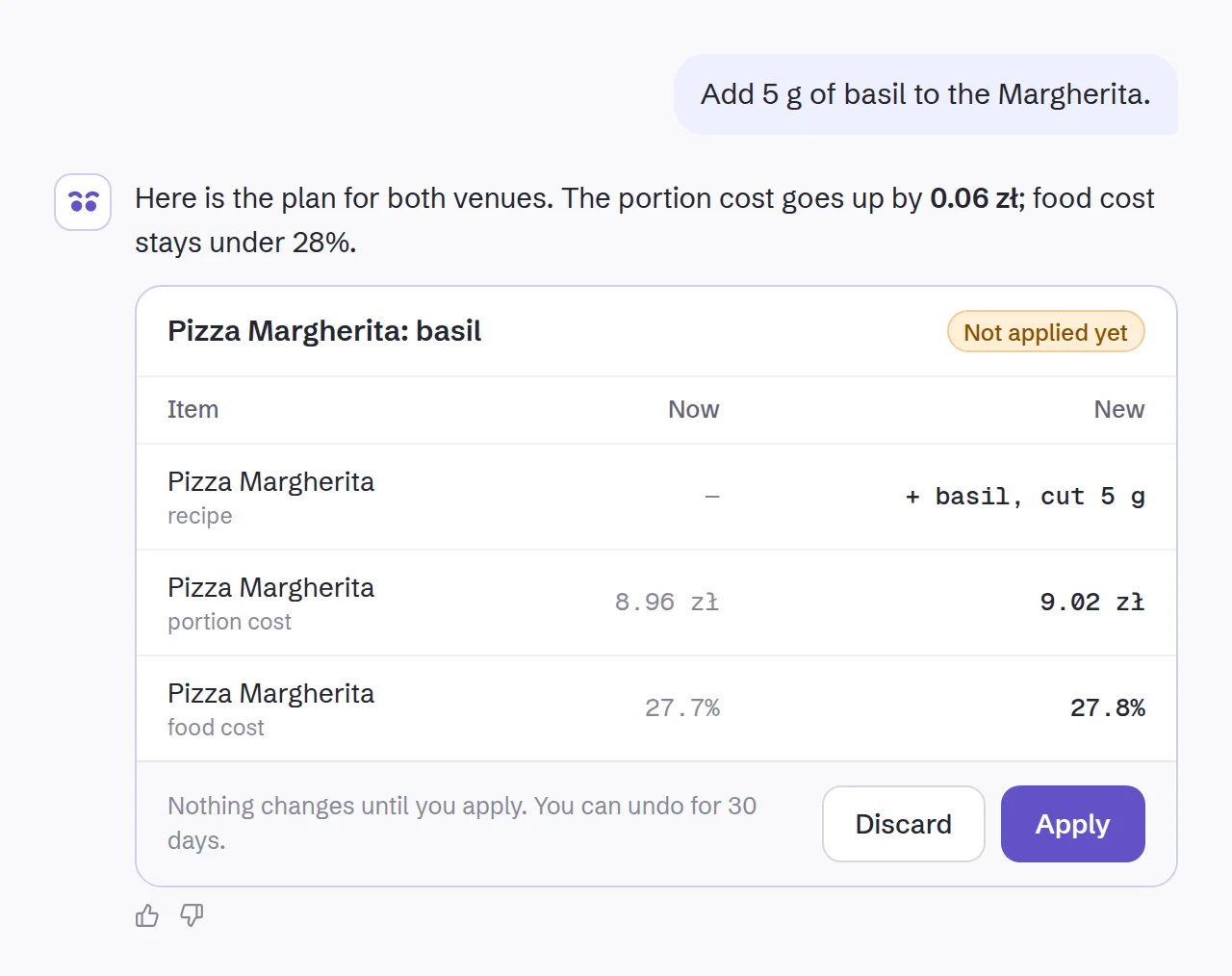
You don’t have to learn every screen. You write one sentence or send a file: a price list in Excel, a menu as a PDF, a photo of a recipe. Owlly shows every change and changes nothing until you press “Apply”.
- “Here’s our menu.”
- “Why is guanciale getting more expensive?”
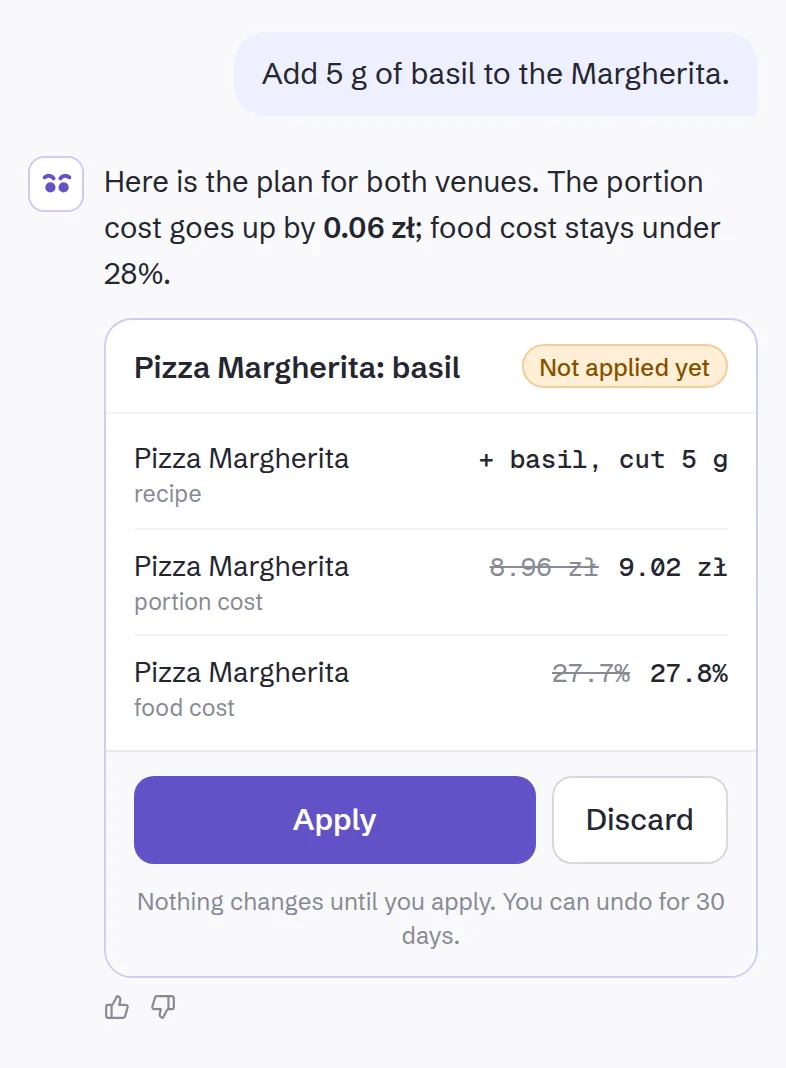
- “Add 5 g of basil to the Margherita.”
- “Tea: three choices at no extra cost, in both venues.”
- “The cook orders ricotta only in 1.5 kg packs.”
- “September’s purchases to Excel.”
- “The kitchen isn’t getting tickets.”
In every plan, for everything the plan includes. On the computer and the phone, from the first day of the trial.
And this AI does by itself. You decide.
You set each AI feature, the assistant too, separately:
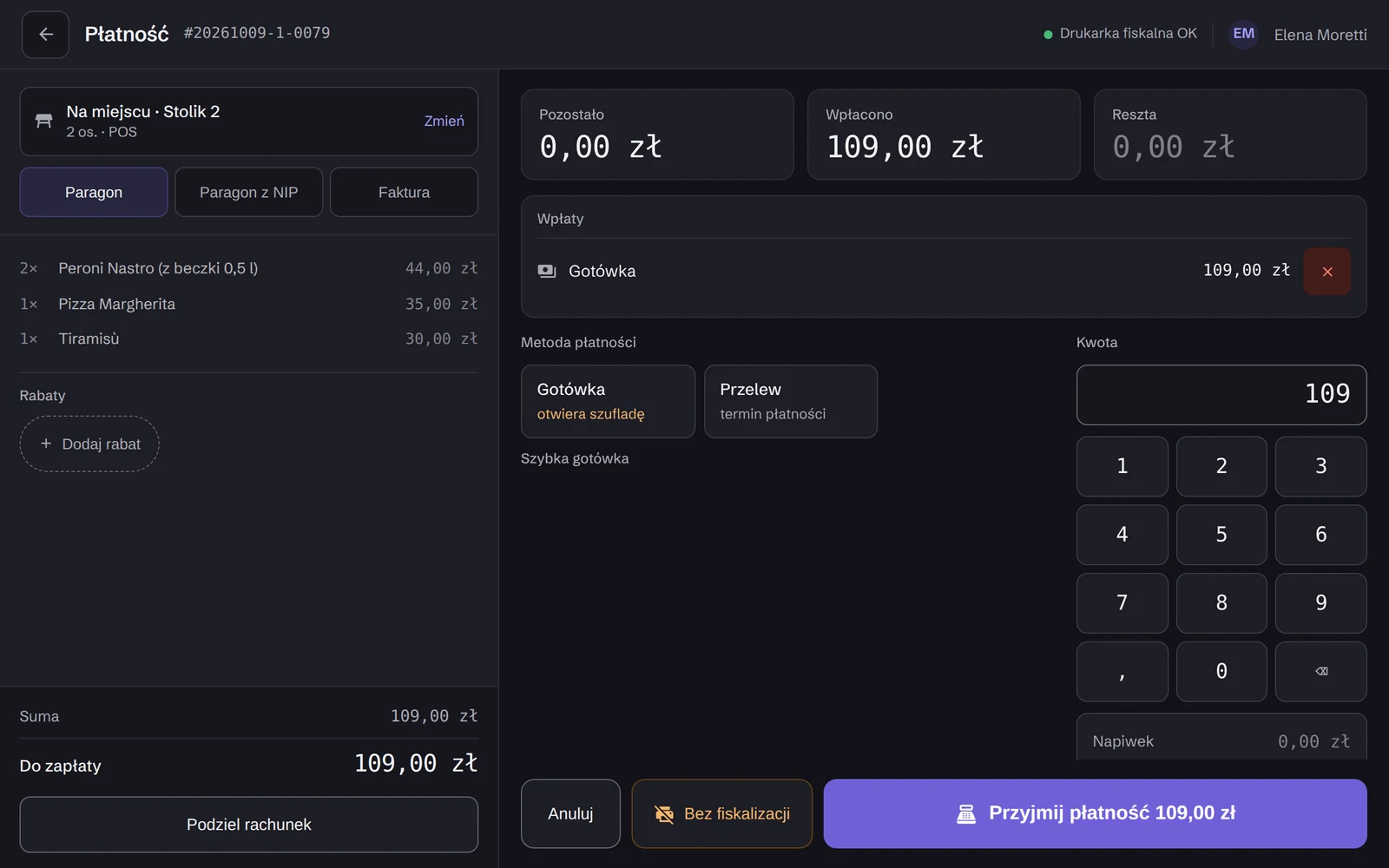
A till that knows your recipes.
Every receipt takes the ingredients off stock and teaches the forecast. The till and the back office know each other, so you retype nothing.
You set up the Owlly till with the Owlly assistant. Free of charge.
For receipts: a fiscal printer on the network and the Owlly app on an Android device (it can be the same tablet). ChoiceQR and your contracts with the delivery platforms are separate.
Your restaurant on your phone. Between tables.
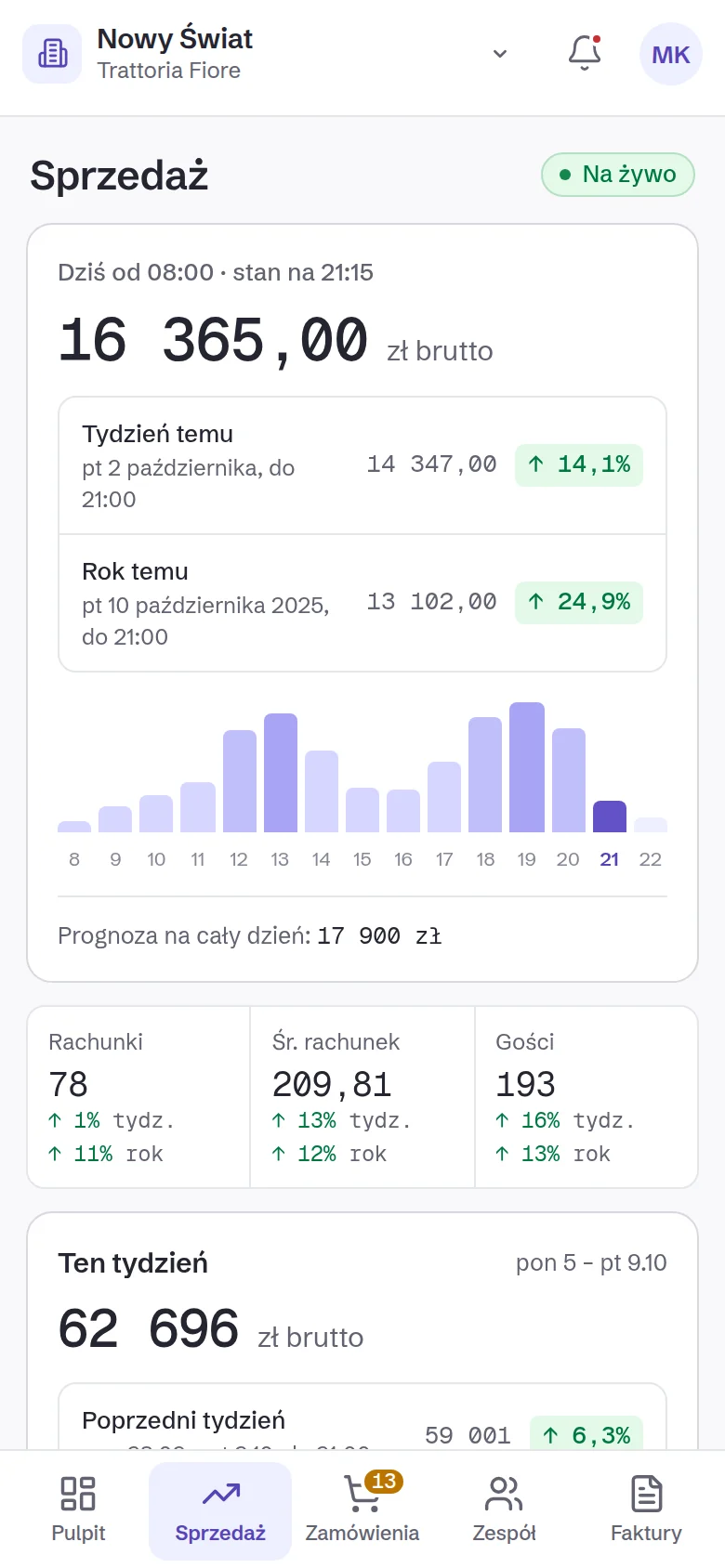
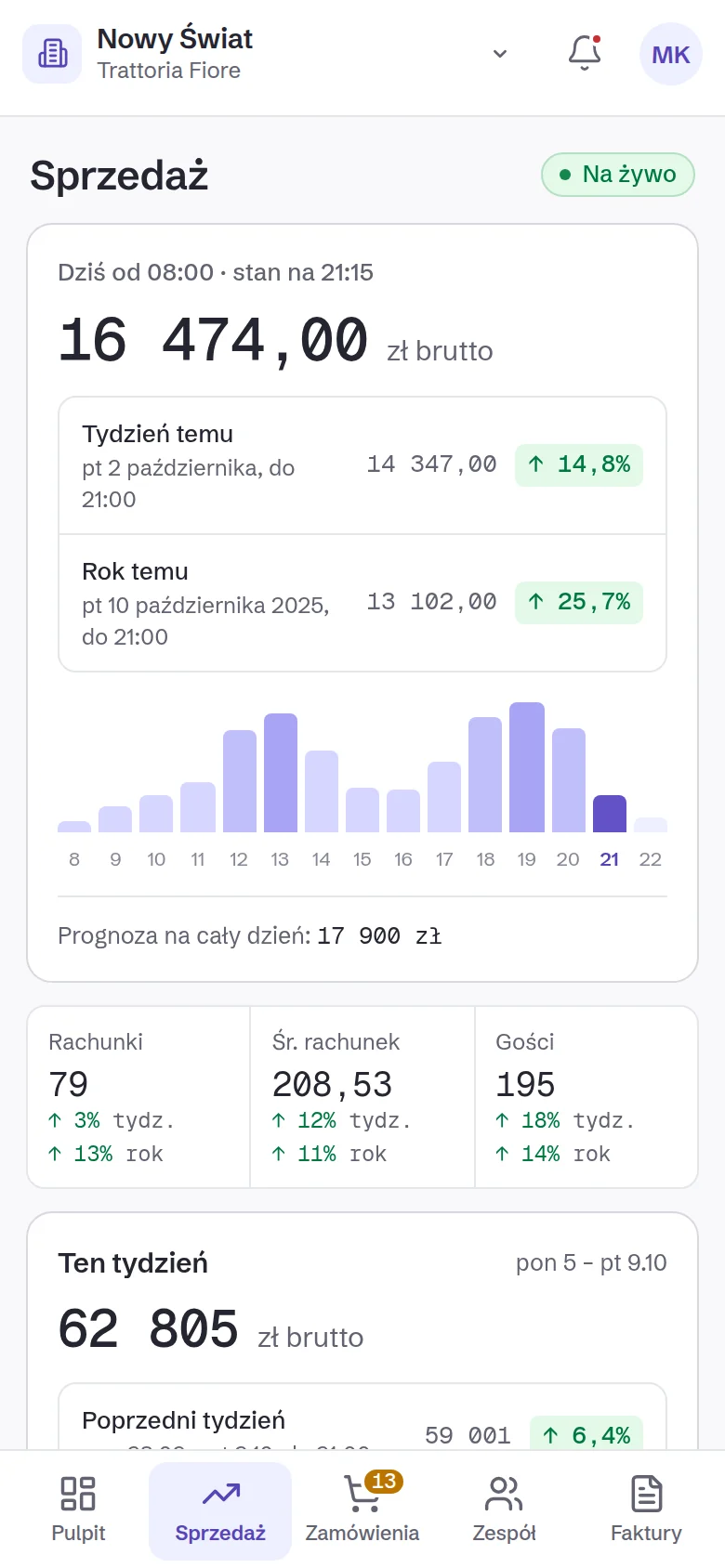
In the morning: yesterday next to the same day last week, and the decisions waiting for you. During the day: live sales, against the same hour last week. Plus the month, alerts, orders and the team.
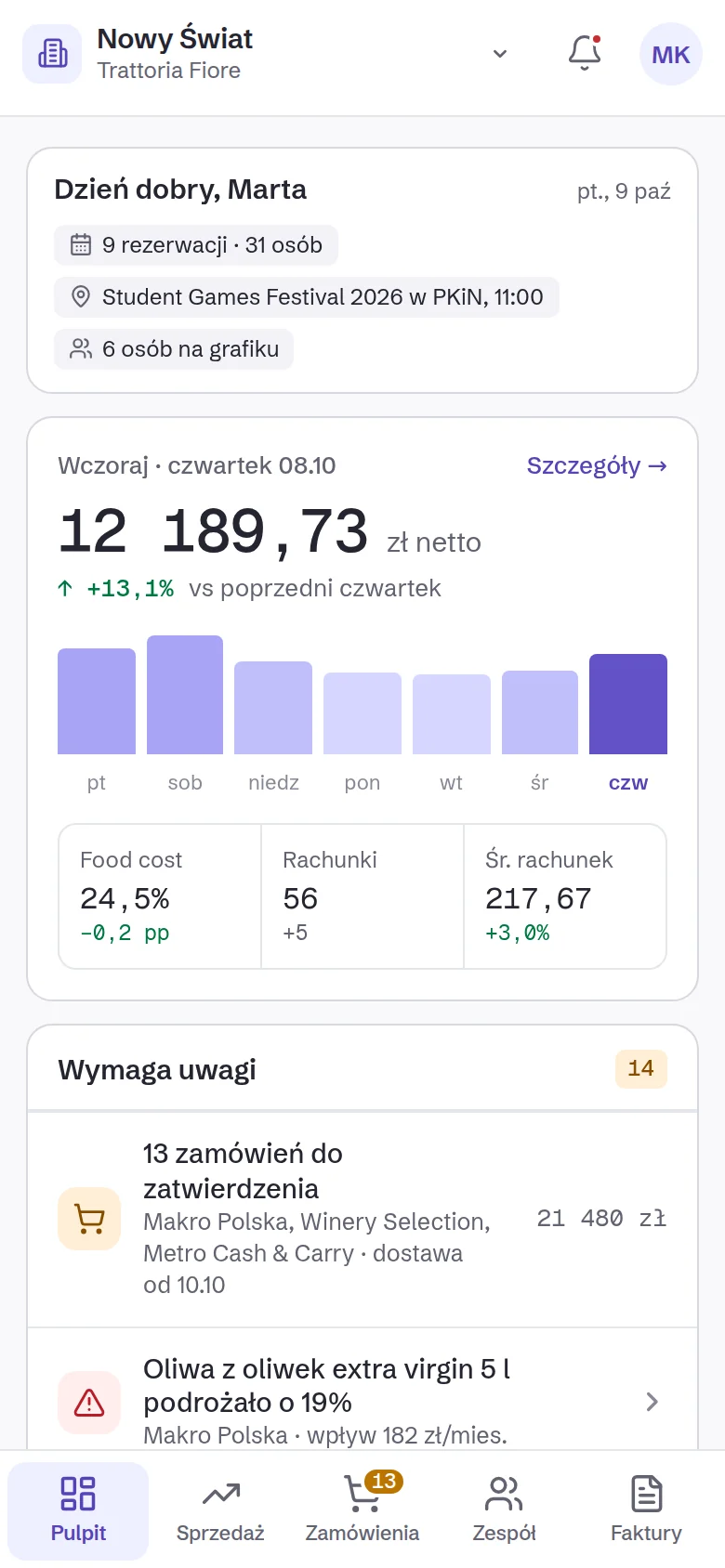
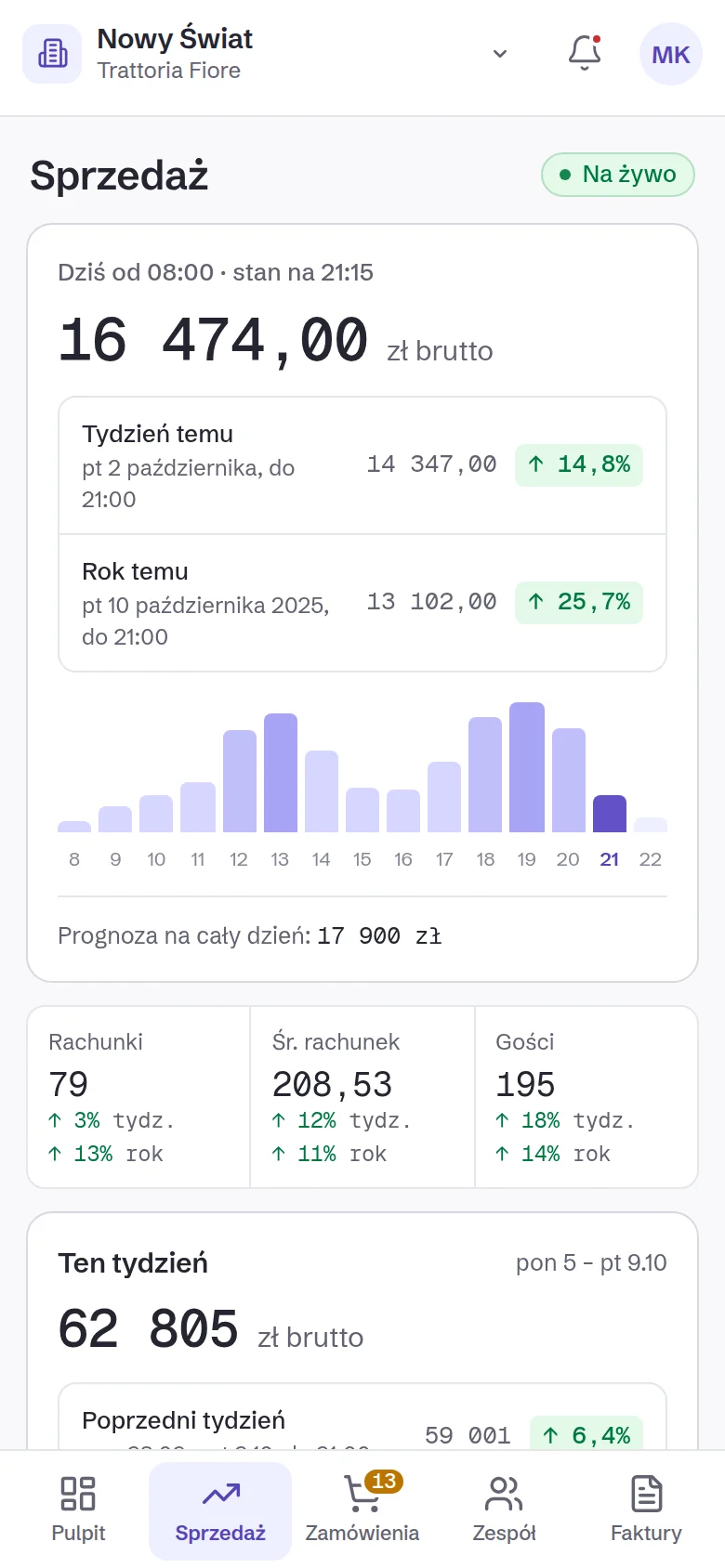
The app installs from the browser, no app store.
Work it out on your own numbers.
We count two things: the time Owlly really takes off your plate, and the money you now see in time. The example numbers are only there to start. Enter yours.
The percentages are your estimate, not our promise. Change them to yours.
19 h · 950 zł; you see 1,309 zł. The time alone covers the plan 3.8×.
The time alone covers the plan 3.8×.
Not counted: menu-price decisions, lower waste and fewer stock-outs, the team app.
See the plans ↓Pricing · net · per venue · monthly
No setup fee · the till move remote and free · no fixed-term contract · billed per venue · export your data any time.
Before you start
I already have a till. Do I have to change it?
Not straight away. You start with the back office on your own invoices. On the 149 and 199 plans you keep your till, and Owlly sends it the goods receipts. The full loop works with the Owlly till; you set up the Owlly till with the Owlly assistant, free of charge.
What hardware does the Owlly till run on?
On the tablet you already have. For receipts: a Posnet fiscal printer on the network and the Owlly app on an Android device (it can be the same tablet). A different printer we add during setup.
What if the AI gets it wrong?
Every field has a confidence level. Sure ones are saved automatically, unsure ones wait for one click. A KSeF invoice arrives as data, so reading it is exact. You can set any AI feature to manual.
Does Owlly handle KSeF?
Yes, for purchase invoices: it collects them every hour, checks and archives them. Invoices outside KSeF you add by e-mail or photo.
Orders from Glovo and Wolt too?
Yes, through ChoiceQR. Orders from Glovo, Wolt, Bolt Food and Uber Eats arrive straight on the Owlly till, to the kitchen and onto the receipt. You need a ChoiceQR plan and your own contracts with the platforms.
What does an employee see?
In Owlly Staff they see their own rota, hours, availability and tasks. Never revenue or costs.
Where is my data?
We store and process it in the European Union. AI model providers receive invoice content under standard contractual clauses. The sub-processor register is public.
Start with your own invoices.
14 days of the whole back office, free · no card · you connect KSeF in about 15 minutes
Know your numbers.